
NOTICEWe're upgrading our learning platform. You may notice temporary changes or brief interruptions while the migration is completed. Thank you for your patience! For any urgent query, contact info@learndrive.org
NEWThe Complete AI Skills Bundle 2026 — 9 courses, 9 CPD certificates, one price. Explore the bundle →
What to Consider When Picking the Right Course for Your Team’s Training

What to Consider When Picking the Right Course for Your Team’s Training

Choosing staff training is rarely simple. Your team has real needs, a fixed budget and busy working days. Hundreds of courses promise results. Few explain how they will help your people.

The right course does five things. It targets a clear skills gap. It has relevant learning outcomes. It suits your team’s level and schedule. It offers credible proof of quality. And it gives you a way to check the results.

This guide is for managers and business owners who are responsible for employee development. You will get a nine-point checklist, a simple comparison table and a fair way to shortlist courses.

Table of Contents

Start by Identifying What Your Team Needs to Learn

Do not start with a course. Start with the problem. A skills gap is the distance between how your team performs now and how it needs to perform. To thoroughly evaluate and identify performance gaps across your team, examine these five key information sources in detail:

1. Job responsibilities and role requirements

Compare existing job descriptions, competency frameworks, and key performance indicators (KPIs) against current operational expectations. Roles evolve over time, and team members may be missing core competencies needed for updated responsibilities.

Example: A customer support role expands to include basic technical troubleshooting, but team members have only received training in general communication skills.

2. Observed performance and recent mistakes
Analyze recurring operational errors, quality assurance logs, project delays, or missed targets. Look for patterns across individuals or sub-teams to determine whether recurring issues stem from a lack of knowledge or practical application skills.

Example: Frequent data-entry errors in quarterly financial reports point toward a specific need for advanced spreadsheet or reporting software training.

3. Feedback from employees

Gather insights directly from staff via 1-on-1 check-ins, self-assessments, or anonymous surveys. Employees often recognize where they lack confidence or where complex workflows slow down their daily work.

Example: Staff express feeling overwhelmed when handling escalated customer complaints, signaling a need for conflict resolution and de-escalation training.

4. Feedback from managers

Review performance appraisals, supervisory notes, and team retrospectives. Team leads can identify macro-level productivity bottlenecks, skill imbalances across staff, and capability gaps in leadership or cross-functional collaboration.

Example: A manager notes that project handoffs between design and development teams suffer due to poor workflow management practices.


5. Upcoming business needs and strategic changes

Anticipate upcoming technological shifts, new software implementations, compliance changes, or line-of-business expansions. Proactively address these skills gaps before new workflows are launched.

Example: Transitioning to a new Enterprise Resource Planning (ERP) platform next quarter requires pre-implementation training for all operational leads.


Next, decide whether the need is personal or shared. One person struggling with a new system needs targeted help. Five people struggling with the same task point to a team-wide gap.

Then ask whether a course is the right fix. Coaching, clearer procedures, hands-on practice or better systems may work better. Sometimes a mix of these works best. If the training relates to legal or safety duties, check the exact requirements first. Then choose a programme that meets them


Example

Your staff keep making errors when handling customer information. Before you buy generic training, ask three questions. Do they lack knowledge? Are the procedures unclear? Do your systems make mistakes easy? A course mainly solves the first problem. It will not fix the other two.


9 Things to Consider When Choosing a Training Course for Your Team
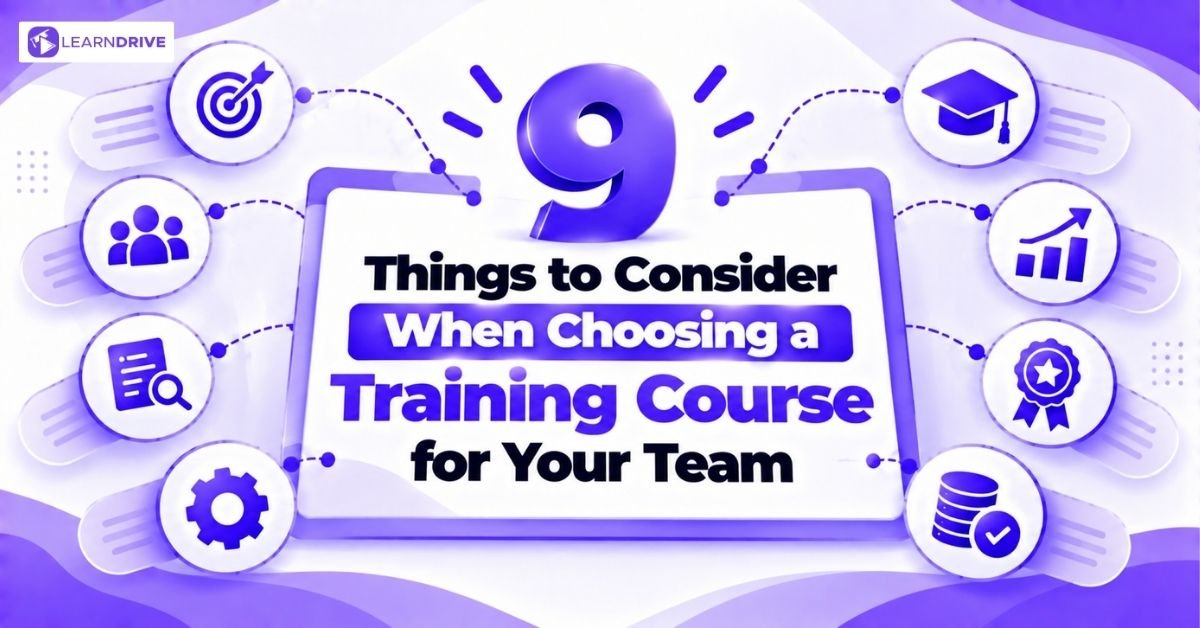
Use these nine criteria to judge any course. Treat them as your selection checklist:

1. Clear Learning Objectives

A good course states what learners will know or be able to do afterwards. Vague goals tell you very little. Measurable goals show you what should change at work.

Compare these two. A vague objective is “improve communication”. A clearer one is “practise using a structured approach to handle a difficult customer conversation”.

The objective should also match the employee’s role and your business need. If you cannot link it to a real task, keep looking.

2. Relevant Course Content and Difficulty Level

Compare the syllabus with what your team actually needs. Do not rely on the course title or the sales page alone. Ask these questions:

•         Which topics and modules are included?

•         Is the level introductory, intermediate or advanced?

•         Can employees apply the learning to everyday tasks?

•         Does it suit your industry and working context?

•         Is anything important missing? Does extra content add time without helping?


Always ask for the detailed syllabus. It shows you what you are really buying.

3. A Delivery Format That Works for Your Team

Courses are usually delivered in four main ways. Each has a place. None is best for every team.

•         Online self-directed: Staff learn at their own pace. This suits flexible schedules.

•         Instructor-led: A trainer guides the group. This allows questions and discussion.

•         Face-to-face: Staff meet in person. This suits hands-on skills.

•         Blended: This mixes online study with live sessions.


Choose based on staff locations, shift patterns and time limits. Also consider the subject and whether staff need to practise or demonstrate a skill.

For example, self-paced online learning may suit staff spread across several sites. A task that needs hands-on practice may need supervised instruction. CIPD guidance treats delivery method as a choice that should support the learning need.

4. Provider Credibility, Credentials and Certificates

Look closely at who is behind the course and what learners receive. Check the following:

  • Who develops and maintains the course content?

  • What certificate or qualification does the learner receive?

  • Is the course CPD accredited? If it is how many CPD points will awarded

  • Can an employee verify the certificate?

  • Is the credential accepted for your actual purpose?

  • Can the awarding body or regulatory status be checked independently?

  • Does the course meet any industry or legal requirements that apply to you?


Accuracy check

A certificate of completion, CPD accreditation and a regulated qualification are not the same thing. Ofqual regulates specific qualifications and awarding organisations within its remit. It does not regulate every course or training provider. Verify the exact credential before you rely on it.


5. Engagement, Practice and Assessment

Watching a lesson is not the same as learning a skill. Look at how the course helps staff practise and prove understanding. Useful features can include:

•         Examples and realistic scenarios

•         Quizzes or assignments

•         Practical exercises

•         Feedback from a trainer or system


No single technique guarantees that staff will remember what they learn. Judge each feature by whether it fits the learning objectives.

6. Time, Flexibility and Accessibility

Even a strong course fails if staff cannot finish it. Ask these questions:

•         Can staff complete it in the study time they actually have?

•         Does it work with shift patterns and daily duties?

•         Can employees use the materials on their available devices?

•         Are the language and structure right for your learners?

•         Can employees with accessibility needs use the materials?


Do not confuse access time with study time. A course may give months of access but need only a few hours of work. Check the stated duration and access terms on the specific course page.

7. Total Cost and Overall Value

Do not choose the lowest advertised price. Compare the full cost. Possible extra costs include licences, learner numbers, assessments, certificates, transcripts, added support and staff time away from normal duties.

Not every course charges separately for these items. Check the actual terms. Then compare each shortlisted course against the same needs and learner numbers.

This table can help:

Comparison point

Course A

Course B

Main learning outcome


Fit with team needs


Delivery and duration


Assessment and feedback


Credential and verification


Total cost


Support and follow-up


Value means suitability for the outcome you need. It does not mean the most modules or the lowest cost.

8. Provider Transparency, Support and Course Updates

A good provider is open about what you get. Check its communication, documents and support arrangements. Ask for a syllabus, a sample lesson or a demo where possible. Ask what is included and what the limits are.

Reviews and case studies can inform your decision. They should not replace checking the real course content and credentials.

Some subjects change fast, such as rules, technology and workplace practices. For these, ask when the course was last reviewed. Also ask how updates are handled.

9. How You Will Measure Training Effectiveness

Decide what success looks like before training begins. Then choose how you will measure it. Useful measures include:

•         Completion and participation

•         Before-and-after knowledge checks

•         Learner feedback on relevance and usability

•         Manager observations of changed practice at work

•         Operational measures, where you have reliable baseline data

•         Follow-up checks to see if the learning is being applied


Completion rates and satisfaction scores are useful signs. On their own, they do not prove better performance or financial return. CIPD’s learning and development guidance includes assessment and evaluation as part of effective training.

How to Compare and Shortlist Training Courses

The nine criteria above work best as a process. A clear process keeps your choice fair. It also stops the loudest sales page from winning. Follow these five steps.

  1. Define the gap and the outcome: Write down the specific skills gap and the result you want. For example, “reduce data-handling errors in the support team”. Keep it to one or two sentences. Every course on your list must answer this.

  2. Build a small shortlist: Find a few courses whose syllabuses fit the need. Read the detailed syllabus, not just the course title. Remove any course that clearly misses the outcome.

  3. Compare using the same criteria: Compare content, level, format, credentials, costs and support. Use the same table for every course. This keeps the comparison fair. It also shows where a provider has left gaps.

  4. Ask providers to fill the gaps: Contact each provider about anything missing or unclear. Ask about duration, support, assessment and what the price includes. Note any vague answers on your scorecard.

  5. Choose and plan the review: Pick the course with the strongest overall fit. Then decide how you will evaluate the result. Agree the measures and a review date before staff begin.


Use the comparison table in criterion seven as a simple scorecard. Adapt it to your organisation’s needs and requirements. A course for shift workers may need extra attention on flexibility. A course for a legal duty may need extra attention on credentials.

Remember that this is a practical tool, not a scientifically validated method. There are no universal weights for its criteria. Your own judgement still matters.

Ask a colleague to review your notes. A second opinion reduces bias. Keep your scorecard too. It helps you explain your choice to senior leaders and finance teams.

Common Mistakes to Avoid When Selecting Staff Training

Even careful managers make these errors. Each one is easy to avoid once you know it.

  • Choosing the cheapest course: A low price means little if the content misses your team’s need. A cheap course that nobody finishes is still wasted money. Compare what each price includes before you decide.

  • Buying before identifying a need: Training bought “just in case” rarely changes behaviour. Without a clear gap, you cannot judge success. Do the needs check first, even if it takes only an hour.

  • Assuming a certificate meets a requirement: A completion certificate may not satisfy a professional or legal rule. For example, a safety duty may need a specific recognised qualification. Check the requirements first. Then check the credential.

  • Ignoring workload and access: A great course fails if staff cannot fit it around shifts. It also fails if they cannot use their devices. Ask your team how much time they can really spare.

  • Comparing headline prices only: One course may include assessment and support. Another may charge extra for both. Ask for the total cost for your number of learners.

  • Treating completion as proof of impact: Finishing a course does not show that work has improved. Completion is only a starting point. Follow up with manager observations and workplace measures.


Example

A manager picks a low-cost safety course for six staff. Later, a check shows the certificate does not meet the site’s requirement. The team must retrain. The saving disappear, and so does goodwill. A short check of the requirement would have prevented it.


Spotting these mistakes early saves money and time. It also protects your team’s goodwill. Staff are more likely to engage when training clearly fits their work.

Learndrive.org
100+ Free
Courses
Enhance your skills — no spending required. CPDQE Accredited.


FAQ


There is no ideal length. Match the duration to the learning outcome and your team’s workload. Check the stated time on the course page. Then compare it with the time your staff can realistically spare.


No. CPD usually shows that learning has taken place, and the quality of CPD accreditation varies. A regulated qualification is checked by a regulator. Always verify which type of credential a course really offers.


It depends on the subject, your staff locations and their schedules. Online learning suits flexible, spread-out teams. Face-to-face sessions suit hands-on skills. Blended learning can combine both.


A small shortlist is enough. Two to four courses are easy to compare fairly. Use the same criteria for each, and ask providers to fill any gaps in the information.


Check whether the course has clear levels or pathways. You may need different courses for beginners and experienced staff. A quick skills check beforehand helps you place people correctly.


Set the intended outcome before training starts. Use knowledge checks, learner feedback and manager observations. Add operational measures if you have reliable baseline data. Follow up later to see if staff still apply the learning.

Final Thoughts

The best course is the one that fits your team’s real needs. Start with the skills gap. Then check that the content, level, format and credentials suit your people and your rules.

Compare the total cost, not just the headline price. Ask for evidence of quality. Finally, decide how you will judge the result before training begins. That way, you spend your budget with confidence.


Our related blogs


Our  popular courses

Picture of Zoro Conway
Zoro Conway
[social_share_buttons]

Sensational Offer!

Sign up and get access to 49

Premium Short Course just for £1