Perplexity vs ChatGPT is the question many UK professionals ask first. The short answer is simple. Use Perplexity to find and check information. Use ChatGPT to think, draft and get work done.
Perplexity is an answer engine. It searches the web and shows numbered sources beside its answer. ChatGPT is an all-round AI assistant. It writes, plans, summarises and helps with files.
Neither tool is perfect. Both make mistakes. Both can sound sure when they are wrong. You still need to check anything that matters. That habit is the most useful skill in this guide.
This guide keeps things practical. You will see how each tool handles research, writing, admin and browsing. You will see UK prices in pounds. You will also get a role-by-role table and a simple workflow that uses both tools. Each section opens with a short answer, so you can skim.
You do not need technical skills to follow along. If you can write an email, you can use these tools well.
Table of Contents
What Is the Main Difference Between Perplexity and ChatGPT?

Perplexity is built to search the web and show its sources. ChatGPT is built to do many jobs, including writing, planning and analysing files. Perplexity usually makes source-checking easier. ChatGPT is often stronger when you need a draft, plan or finished document. Many professionals use both for different jobs.
Answer engine versus AI assistant
An answer engine works like a fast research helper. You ask a question. It searches the web. It writes a short answer with links to its sources.
An AI assistant works like a flexible colleague. You give it a task. It drafts, edits, summarises, plans or explains. Search is one of its tools, not its whole purpose.
That one difference explains most of what follows. Perplexity starts with the web. ChatGPT starts with the task.
Perplexity vs ChatGPT at a glance
Feature | Perplexity | ChatGPT |
Main purpose | Searching the web and answering with sources | General assistant for many tasks |
Source links | Numbered links shown beside most answers | Shown when Search or Deep Research runs |
Best for | Finding and checking facts | Drafting, planning and brainstorming |
Writing and editing | Basic | Strong |
AI models | Its own Sonar models, plus models from other labs on paid plans | OpenAI models only |
Free plan | Yes, with a small daily allowance of advanced searches | Yes, with usage limits |
Main weak spot | Less suited to long drafts and creative work | Source trail is not always shown |
What Is Perplexity AI and How Does It Work?
Perplexity is an AI answer engine. You type a question. It searches the web, then writes a short answer with numbered source links. You can click each link to check the original page. It also offers Deep Research for bigger questions and a free AI browser called Comet.
How does Perplexity work?
You type a question in plain English.
Perplexity searches the live web.
It writes a short answer in its own words.
Numbered links show where each point came from. You can click them to check.
Free users get a small daily allowance of advanced searches. Paid plans add more advanced searches, Spaces for organising projects and file uploads.
Where does Perplexity help at work?
Market research before a client meeting.
Checking a recent news story or rule change.
Comparing suppliers, tools or products.
Fact-checking a number before you share it.
What should you watch out for?
A source link is not proof. The page may be out of date. It may be a weak source. The summary may also misread the page.
Perplexity is also less suited to long drafts and creative writing. For those jobs, an assistant like ChatGPT usually does better.
What Is ChatGPT and How Does It Work?
ChatGPT is an AI assistant from OpenAI. You type a request in plain English. It replies with text, ideas, code or a plan. It can also search the web, analyse files and create images on some plans. It is built for many jobs, not only research.
What does ChatGPT do well? Writing and planning
ChatGPT is strong at drafting and rewriting. You can ask for an email, a proposal, a lesson plan or a LinkedIn post. You can then ask it to shorten, simplify or change the tone.
It is also good for brainstorming and planning. For example, you can ask for a project timeline or a list of interview questions.
What about working with files?
File analysis is a separate use case. On many plans, you can upload a document or spreadsheet. ChatGPT can summarise it, spot patterns or answer questions about it.
Free plans have tighter limits. Paid plans give more room. Do not upload files with private client or staff data unless your employer allows it.
Where do ChatGPT’s sources appear?
ChatGPT shows source links when its Search tool or Deep Research runs. Many everyday answers come with no source trail. That is fine for brainstorming. It is risky for facts.
What should you watch out for?
It can give confident answers that are wrong.
It can mix real and invented details.
Ads have appeared on the Free and Go plans in the US. Check whether they apply where you live.
Perplexity vs ChatGPT for Research: Which Is Better?

For research, Perplexity usually makes source-checking easier. It puts numbered sources next to its answer. ChatGPT can also cite sources when Search or Deep Research runs, and its reports are often longer and better structured. Neither tool replaces your own checking. Treat both as a fast first draft.
How do their citations differ?
Perplexity builds every answer around web sources. You see numbered links straight away. That makes it quick to open a page and check a claim.
ChatGPT treats search as one tool among many. When it runs Search, you get links. When it does not, you get an answer with no trail. You need to ask it to search and cite.
What does a good research prompt look like?
A vague question gets a vague answer. A good research prompt names the topic, the place, the time and the output you want.
Vague prompt | Research-ready prompt |
“Tell me about remote work.” | “Summarise UK remote and hybrid working trends since 2024. Use official statistics where possible. Give sources and dates. Keep it under 200 words.” |
Asking for dates and official sources also helps you spot old or weak pages quickly.
What is Deep Research?
Deep Research is a mode for big questions. The tool runs many searches, reads many pages and writes a long report. It can take several minutes.
One published test by AI Agent Rank compared the two. ChatGPT’s reports took between 14 and 22 minutes and used 28 to 31 sources. They were better structured. Perplexity was faster and picked up the most recent changes.
Usage limits for Deep Research differ by plan and change often. Check your plan page before you rely on it.
What do studies say about citation accuracy?
In March 2025, the Tow Center at Columbia Journalism Review tested eight AI search tools. It ran 200 tests. Each tool had to name the source of a real news quote.
Overall, the tools were wrong more than 60% of the time. Perplexity did best, yet it was still wrong 37% of the time. ChatGPT Search gave 134 wrong answers out of 200. It showed doubt in only 15 of them.
This study is from 2025 and covers news sources only. Tools may have improved. The lesson still holds. A confident answer with a link can still be wrong.
Which sources should you trust?
Official statistics and government pages.
Peer-reviewed research and university pages.
Established news outlets with named authors.
Company reports and official filings.
Be careful with forums, anonymous blogs and pages with no date. They may be wrong or out of date.
How can you check any AI source in five steps?
Open the link. Do not trust the summary alone.
Check the date. Old pages can give old facts.
Check who published it. Look for official, expert or well-known sources.
Match the claim. Find the exact line that supports it.
Cross-check key numbers. Confirm important figures with a second source.
Try it yourself: a fair four-prompt test
Give the same four prompts to both tools. Score each answer out of 5 for accuracy, source quality, writing quality, speed and ease of use.
Research: “What has changed in UK hybrid working this year? Give sources.”
Client email: “Write a 100-word email telling a client our report is two days late.”
LinkedIn post: “Write a 120-word post about what I learned from a team project.”
Meeting notes: Paste rough notes. Ask for a summary and an action list.
Verdict: Perplexity wins for fast, source-led research. ChatGPT wins when you need a deep report that you will turn into a document. To check a single fact, start with Perplexity.
Which Is Better for Writing and Editing?
ChatGPT is often stronger for writing and editing. It follows tone instructions well and rewrites on request. It also keeps the conversation going as you refine a draft. Perplexity can write short summaries, but it is built for answers, not long drafts. For emails, posts and proposals, start with ChatGPT.
How well do they follow tone and style?
ChatGPT usually follows tone instructions well. You can ask for “warm but direct” or “formal and brief”. You can also paste a sample of your own writing and ask it to match your style.
Perplexity can write a short summary or a few paragraphs. But it is built to answer questions. It works best when your writing needs fresh facts with links.
How good is editing and rewriting?
ChatGPT lets you refine step by step. You can ask for three shorter versions. You can ask it to remove jargon. You can ask it to fix grammar without changing your meaning.
ChatGPT also offers Canvas. This is a side-by-side editing view that suits longer drafts.
What do published tests say?
Tom’s Guide ran a seven-prompt test of both tools. Perplexity won the questions that needed sourced facts. ChatGPT won on tailored advice and conversation. ChatGPT took the overall win.
That matches most reviews. Perplexity leads on facts. ChatGPT leads on creating.
What does a better prompt look like?
Weak prompt | Better prompt |
“Write an email to a client.” | “Write a polite 100-word email to a UK client. Say our report will be two days late. Offer a call on Friday. Keep the tone warm and direct.” |
The better prompt names the audience, length, message and tone. That is why it works.
Which Is Better for Productivity and Repeatable Tasks?
ChatGPT suits most repeatable office tasks, such as meeting notes, task lists, templates and spreadsheet help. Perplexity helps when a task needs fresh facts, such as supplier checks or news updates. The best results come from repeatable workflows, not one-off prompts. Build a small set of prompts and reuse them.
Which repeatable workflows save time?
Meeting notes to actions (ChatGPT). Paste your notes. Ask for a summary, decisions and a task list with owners.
Weekly update email (ChatGPT). Paste your bullet points. Ask for a short update in your usual tone.
Spreadsheet help (ChatGPT). Describe what you want. Ask for the formula and a plain-English explanation.
Pre-meeting briefing (Perplexity). Ask for recent news on a client or sector. Open the sources. Note the key facts.
Supplier or tool comparison (both). Ask Perplexity for options with sources. Then ask ChatGPT to turn the facts into a table.
How do you build a prompt you can reuse?
Good prompts follow a simple pattern. Save the ones that work. Reuse them each week.
| The five-part prompt Role: Act as a UK office manager. Task: Summarise these meeting notes. Context: The team is planning a product launch. Format: Use bullet points and a short action list. Limits: Keep it under 150 words. |
What mistakes should beginners avoid?
Pasting a huge document with no instructions.
Accepting the first answer without reading it.
Leaving out context such as audience, length or tone.
Using one long chat for many different tasks.
Sharing private data to save a few minutes.
Small habits fix most of these. Give clear context. Read before you send. Start a new chat for each new task.
What about coding, images and voice?
ChatGPT has stronger coding tools, image creation and voice chat. Perplexity is not built for these jobs. Most office professionals will use them only now and then.
How Do Perplexity Comet and ChatGPT Atlas Compare?
Comet and Atlas are AI browsers. They sit inside a web browser and can read pages, answer questions and act for you. Comet leans towards research and assisted browsing. Atlas leans towards completing tasks alongside ChatGPT. Both need careful use, because they can reach your accounts and pages.
What is an AI browser?
An AI browser adds an assistant to your normal web browsing. It can summarise a page, compare tabs or fill in a form. Some can click and type for you.
Comet and Atlas at a glance
| Perplexity Comet | ChatGPT Atlas |
Made by | Perplexity | OpenAI |
Main focus | Research and assisted browsing | Completing tasks with ChatGPT |
Launch | 2025, and free for everyone since October 2025 | 21 October 2025 |
Platforms | Windows and macOS | macOS at launch. Check current support. |
Cost | Free | Free to download. Best features need a paid ChatGPT plan. |
What did real-task tests find?
MakeUseOf tested both browsers on everyday tasks. Atlas was usually faster. In one task, Comet did not finish and had to be stopped. Both browsers are young, so results change fast.
Who should wait before using an AI browser?
Anyone who handles sensitive client systems.
Anyone who works with finance or HR records.
Anyone whose employer has not approved AI browsers.
How can you try an AI browser safely?
Use a separate browser profile with no work accounts signed in.
Start with low-risk tasks, such as summarising a public article.
Read each permission request before you approve it.
Watch what the assistant does. Stop it if it acts oddly.
Browsers that can act for you are powerful. They also carry more risk than a simple chat.
Perplexity vs ChatGPT Pricing: How Much Do They Cost in the UK?
Both tools have free plans. Their main paid plans cost about £15 a month, based on US prices. ChatGPT also has a cheaper Go plan at about £6. Both have power tiers that run from about £74 to £148. Your UK checkout price may differ, so check before you pay.
How do the plans compare?
Plan level | Perplexity | ChatGPT | Best for |
Free | Free (£0) | Free (£0) | Trying the basics |
Entry paid | No cheaper tier than Pro | Go: about £6 ($8) | Light, regular use |
Main paid | Pro: about £15 ($20), or about £13 a month billed yearly | Plus: about £15 ($20) | Daily work use |
Power user | Max: about £148 ($200), or about £124 a month billed yearly | Pro: about £74 (100)orabout£148(200) | Heavy, high-volume use |
Education | Education Pro: about £7 ($10) for verified students | No standard UK student discount at the time of writing | Students and educators |
What should you know about UK prices?
Exchange rate: Prices use about $1.35 to £1, the rate in early October 2026.
Tax and fees: UK checkout prices may include 20% VAT. Card fees and app-store billing can change the total. Some UK guides put ChatGPT Plus nearer £20 once tax is added.
Billing: ChatGPT’s personal plans bill monthly. Perplexity offers a cheaper yearly option.
Check first: Open each pricing page before you pay. Plans change often.
Which plan makes sense for your budget?
£0: Use both free plans. This is a strong place to start.
One paid tool, about £15: Choose ChatGPT Plus if you mostly write and plan. Choose Perplexity Pro if you research every day.
Both paid tools, about £30: Worth it if you research and write most days.
Power tiers: Only consider these if you hit usage limits often.
Perplexity Pro also lets you choose between several AI models in one plan. ChatGPT uses OpenAI models only. That may matter if you like to compare answers.
Which Tool Should You Pick for Your Role?
Pick by the task, not the job title. Use Perplexity when a task starts with finding facts. Use ChatGPT when it starts with creating something. The table below matches five common roles to a first tool, a reason and one caution. Many roles need both tools.
Role | Real task | First tool | Why | One caution |
Office professional | Briefing from recent industry news | Perplexity | Fast, sourced research | Check each source |
Marketing specialist | Campaign plan and posts | ChatGPT | Drafting and quick revisions | Keep your brand voice |
Educator or trainer | Lesson plan from a verified topic | Both | Research first, then build materials | Verify every fact |
Freelancer | Client proposal | ChatGPT | Structure, tone and revisions | No confidential client data |
Job seeker | Tailor a CV to a job advert | ChatGPT | Editing and rewriting | Never invent experience |
What is the best overall pick?
If you can pay for only one tool, ChatGPT suits most UK professionals. It covers writing, planning and files. Keep Perplexity on its free plan for research.
Researchers, analysts and journalists may prefer the reverse. If sourced answers are most of your day, Perplexity Pro may be the better buy.
Can Perplexity and ChatGPT Help Your Career and CV?
Yes, if you show real skills, not just tool names. Employers value people who can write clear prompts, check AI answers and use AI responsibly. Knowing Perplexity or ChatGPT helps most when you can show what you did with it and what result it produced.
Which three AI skills are worth building?
Clear prompting. You can ask for exactly what you need.
Fact-checking. You can spot weak or wrong answers.
Responsible use. You know what data to keep out and when to ask for approval.
How do you show AI skills on a CV?
Show tasks and results. Do not list tool names alone. Here are two examples you can adapt:
“Used ChatGPT and Perplexity to research and draft weekly client briefings. Checked all sources before sharing.”
“Built a set of reusable prompts for meeting notes. Cut manual note-writing time for the team.”
Only claim what is true. Add real numbers when you have them.
What should you avoid claiming?
“AI expert” with no examples to back it up.
Copied AI text with no personal voice.
Blind trust in AI answers with no checking.
Any use of AI that broke a company rule.
These can weaken your application. Honest, specific examples work better than big claims.
How do you talk about AI in an interview?
Explain how you check AI work. Interviewers worry about blind trust in AI. A clear checking habit sets you apart.
What is a simple learning path?
Pick one task you repeat each week.
Practise on the free plans for two weeks.
Save the prompts that work.
Add a fact-checking step to every task.
Take a structured course when you want to go further.
How Accurate and Safe Are Perplexity and ChatGPT?
Both tools can make mistakes, and both can sound confident when wrong. Neither is a final authority for legal, medical, financial or compliance decisions. Keep private data out of both. Check your employer’s AI policy first. Then verify any fact, number or quote that matters before you share it.
Why do AI tools make mistakes?
These tools predict likely words. They do not “know” facts the way a person does. Sometimes they invent details. Sometimes they misread a source.
The Tow Center study in Section 4 showed this. Even the best tool still got many citations wrong.
What about privacy and UK rules?
UK GDPR covers personal data. Do not paste names, contact details or records of real people.
Check each tool’s data settings. Look for options about using your chats to train models.
Use company-approved tools where your employer provides them.
Review permissions before you give an AI browser access to email, files or calendars.
Should you check your employer’s AI policy?
Yes. Many UK employers now have rules on AI use. Some ban certain tools. Some allow them with limits. If you are not sure, ask your manager or IT team before you start.
What is a quick safety checklist before you share AI work?
Have I removed private or client data?
Have I opened the key sources?
Have I checked names, dates and numbers?
Does this follow my employer’s AI policy?
Is it in my own voice? Would I stand behind it?
If the answer to any step is no, stop and fix it first.
| When not to use either tool Do not rely on them for current legal, tax, medical or regulated financial advice. Ask a qualified professional. Do not paste confidential client data, passwords, API keys, staff records or unreleased business information. Do not assume a source is credible just because it is cited. Do not use either tool for high-stakes decisions without human review. |
What Are the Pros and Cons of Each Tool?
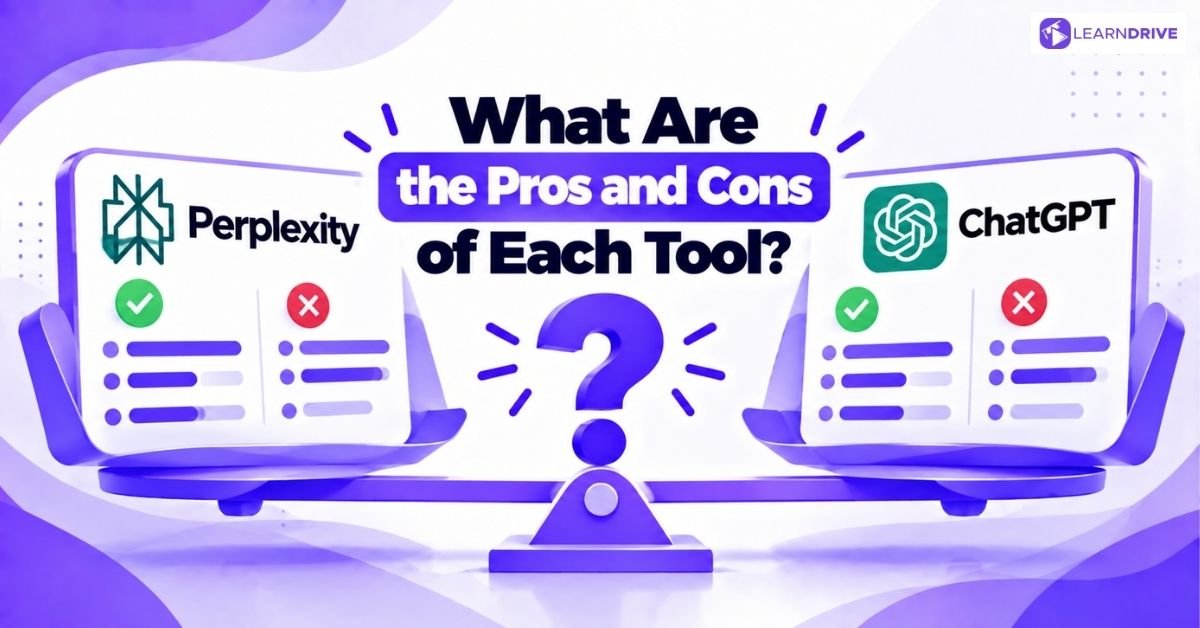
Short answer: Perplexity’s biggest strengths are sourced answers and fresh facts. Its main limits are weaker creative writing and fewer tools. ChatGPT’s strengths are flexibility and drafting. Its limits are a less consistent source trail and a higher cost at the top end. The lists below keep it short.
Perplexity: pros
1. Numbered sources beside answers.
2. Quick, current research.
3. Choice of several AI models on paid plans.
4. Free AI browser (Comet).
Perplexity: cons
1. Weaker for long drafts and creative work.
2. Fewer coding, image and voice tools.
3. Sources still need checking.
ChatGPT: pros
1. Strong writing, editing and planning.
2. Handles files, images, voice and more.
3. Cheaper Go plan for light use.
4. Deep Research reports that are well structured.
ChatGPT: cons
1. Many answers arrive with no source trail.
2. Confident mistakes are possible.
3. Power tiers cost much more.
How Can You Use Perplexity and ChatGPT Together?
Use Perplexity to find and verify. Use ChatGPT to think, draft and edit. Research a topic in Perplexity, open the sources, then paste the checked facts into ChatGPT. Ask it to draft. Finish with your own edit. This keeps your facts sourced and your writing quick.
1 Find Perplexity searches and shows sources | 2 Verify You open and check the links | 3 Draft ChatGPT writes from your checked facts | 4 Edit You polish it in your own voice |
Worked example: a client briefing on hybrid working
1. Find. Ask Perplexity: “What are the latest UK hybrid working trends? Give sources and dates.”
2. Verify. Open the top three links. Note the facts you trust. Drop anything weak or old.
3. Draft. Paste your checked notes into ChatGPT. Ask: “Using only these facts, write a one-page briefing for a UK retail client. Keep it plain and direct.”
4. Edit. Read it line by line. Fix the tone. Check every number against your notes.
Time yourself the first time you try this. Then time it again after a week. Most people get faster with practice.
What other workflows combine both tools?
1. Tailor a CV. Ask Perplexity for the employer’s recent news and priorities. Paste your CV and the job advert into ChatGPT. Ask for a tailored draft. Then check every claim is true.
2. Prepare for an interview. Use Perplexity to learn about the company and its sector. Use ChatGPT to practise likely questions. Ask for feedback on your answers.
3. Plan a lesson or workshop. Use Perplexity to confirm current facts and sources. Use ChatGPT to build the outline, activities and handouts.
4. Write a proposal. Research the client’s market in Perplexity. Draft the structure in ChatGPT. Add your own pricing and terms.
When is one tool enough?
If you mostly write and plan, ChatGPT alone is enough. If you mostly look things up, Perplexity alone may be enough. Running both free costs nothing. Running both paid costs about £30 a month.

Courses
Perplexity vs ChatGPT FAQs
It depends on the task. Perplexity is usually better for finding sourced facts quickly. ChatGPT is usually better for writing, planning and creating. Neither is better at everything. If you try only one, pick by your main job: research or creation. Many professionals use both.
Perplexity has its own Sonar models. On paid plans, you can also pick models from other AI companies, and these have included OpenAI’s GPT models. So it can run on GPT technology. But it is a separate product from ChatGPT, with its own search and design.
Neither is always accurate. Perplexity makes source-checking easier because it shows numbered links. In the Tow Center’s March 2025 news test, Perplexity made fewer citation errors than ChatGPT Search. It still got many wrong. Always check the source yourself, especially for numbers, dates and quotes.
Both free plans are useful. Perplexity gives a small daily allowance of advanced searches. ChatGPT gives limited access to its newer models, with usage caps. For free research, try Perplexity first. For free writing help, try ChatGPT first. Limits change often, so check each plan page.
It is worth paying for if you research daily and often hit the free limits. Pro costs about £15 a month, based on US prices. If you only search now and then, the free plan is probably enough. Try the free plan for two weeks first.
Perplexity helps students find sources and check facts. ChatGPT helps with planning and explaining ideas. Perplexity offers Education Pro for verified students at about £7 a month. Always follow your university’s AI rules. Never submit AI text as your own work.
Final Thoughts
Perplexity and ChatGPT do different jobs. Use Perplexity to find and verify. Use ChatGPT to think, draft and execute. If you want a simple start, use both free plans for two weeks. Pick one task, such as a weekly briefing. Notice which tool you reach for. Then decide what is worth paying for.
AI tools are changing how UK teams work. Good habits matter more than any one tool. Explore LearnDrive’s courses at learndrive.org to build practical skills you can use with confidence at work.
Our Popular Blogs

Best Certifications for High-Paying Jobs in the UK (2026 Guide)

One Education vs LearnDrive: Which One to Choose for Lifetime Subscription?


10 AI Tools for Office Work: Your Ultimate Blueprint for Unstoppable Productivity

AI Certifications That Are in Demand in 2026: Which Ones Are Worth Your Time?