How Students Can Optimize their Study Using AI Tools?
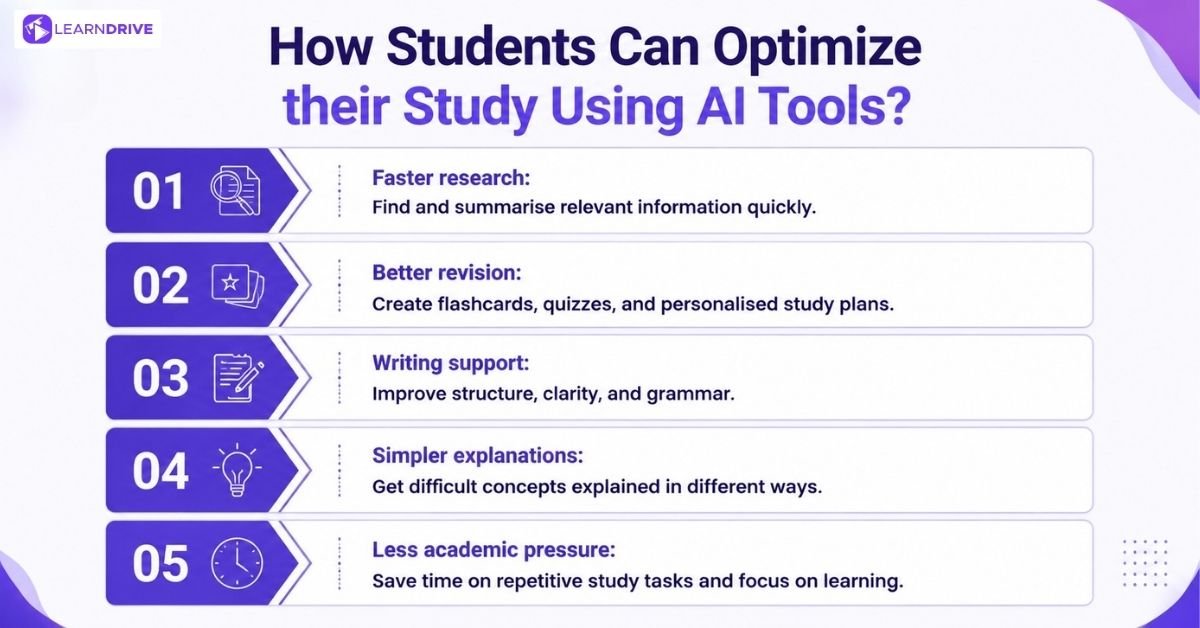
AI didn’t become popular with students by accident. It solves specific, everyday frustrations that traditional studying never fully addressed. Five reasons come up again and again: research, revision, writing, learning support, and time pressure.
1. Faster, More Focused Research
Finding relevant sources used to mean scrolling through pages of search results, unsure which ones were actually worth reading. AI tools now summarise papers, highlight key arguments, and point students toward sources that genuinely fit their topic.
This matters most at the start of a project, when the sheer volume of available material feels overwhelming. AI narrows that down quickly, leaving more time for actual reading and analysis.
2. Revision Under Time Pressure
With exams stacked close together and limited time to prepare, students turn to AI to generate practice questions, flashcards, and summaries in minutes rather than hours.
Spaced repetition tools in particular make this pressure easier to manage. Instead of guessing what to revise next, students get a schedule built around what they’re actually forgetting.
3. Writing and Assignment Support
Structuring an argument, improving clarity, or catching grammar mistakes before submission all feel far less daunting with AI checking the work alongside a student.
Used well, this support sharpens a student’s own writing rather than replacing it. The difference lies in whether AI improves an existing draft or writes the whole thing from scratch.
4. Explaining Difficult Concepts
When a concept doesn’t make sense the first time, AI offers a second, third, or fourth explanation without judgement, something not every tutor or textbook can realistically provide.
This patience is genuinely useful for topics that just won’t click through reading alone. Rephrasing an idea in simpler terms often succeeds where the original explanation didn’t.
5. Managing Academic Pressure
None of this means AI replaces studying. It removes friction from the parts of studying that were never really about learning in the first place, the searching, the formatting, the reorganising, so more energy goes toward genuinely understanding the material.
18 Best AI Tools for Students to Study More Effectively
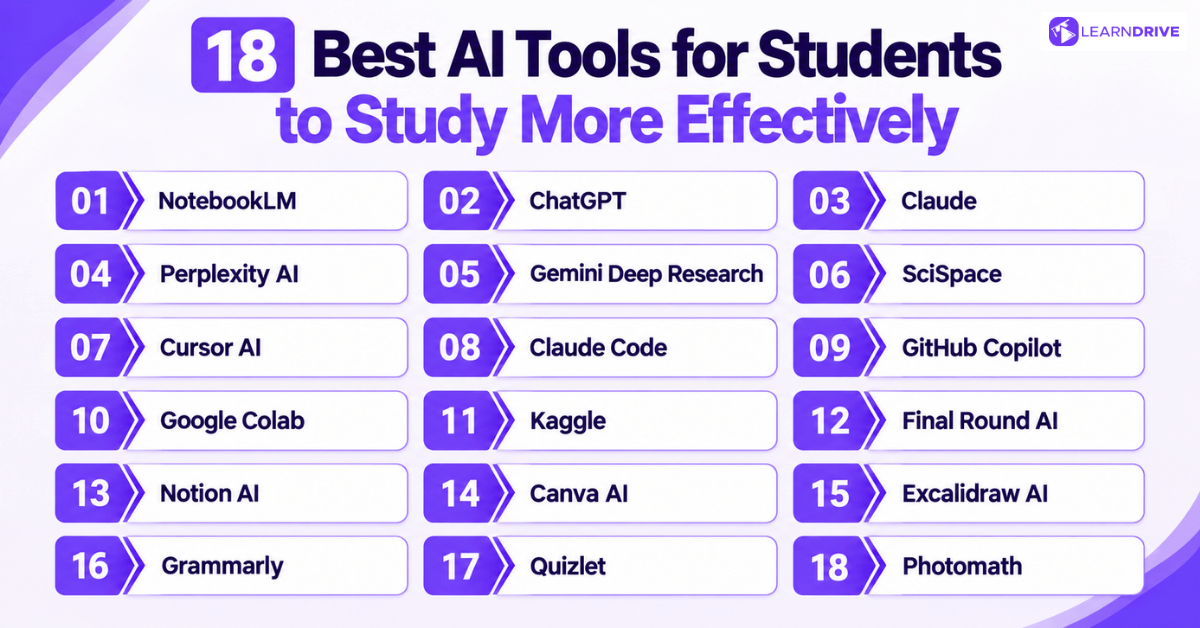
AI tools can help students learn faster, organise information, improve research, develop technical skills and prepare for future careers. However, no single AI tool can handle every learning need.
The most effective approach is to combine different AI tools based on the task. Some tools are better for understanding concepts, others for research, coding, productivity or career preparation.
Here are 18 AI tools that students can use to study more effectively.
For Study & Learning
These tools work best as a first stop for understanding, explaining, and planning. They’re less about producing finished work and more about helping a concept actually click before you move on.
1. NotebookLM

NotebookLM was introduced by Google at I/O 2023 as Project Tailwind, an experimental AI tool designed to help users work with their own documents and research materials. It was later renamed NotebookLM and developed around Google’s Gemini models.
Unlike general AI chatbots, NotebookLM focuses on helping students understand information from their own uploaded sources, including PDFs, notes and documents. It provides source-based answers with references that connect responses back to the original material, making it useful for research, revision and organising complex information.
For students, NotebookLM can support tasks such as summarising study materials, analysing research papers, creating study guides and exploring ideas from trusted sources.
Best for: Turning your own lecture notes and reading into summaries, quizzes, and audio overviews grounded in what you actually studied.
Price: Free with a Google account.
Pros:
Answers stay grounded in your uploaded material, reducing made-up information
Generates audio summaries useful for revising while walking or commuting
Free to use with a Google account
Cons:
Only as useful as the material you upload
Less helpful for open-ended research outside your own documents
2. ChatGPT
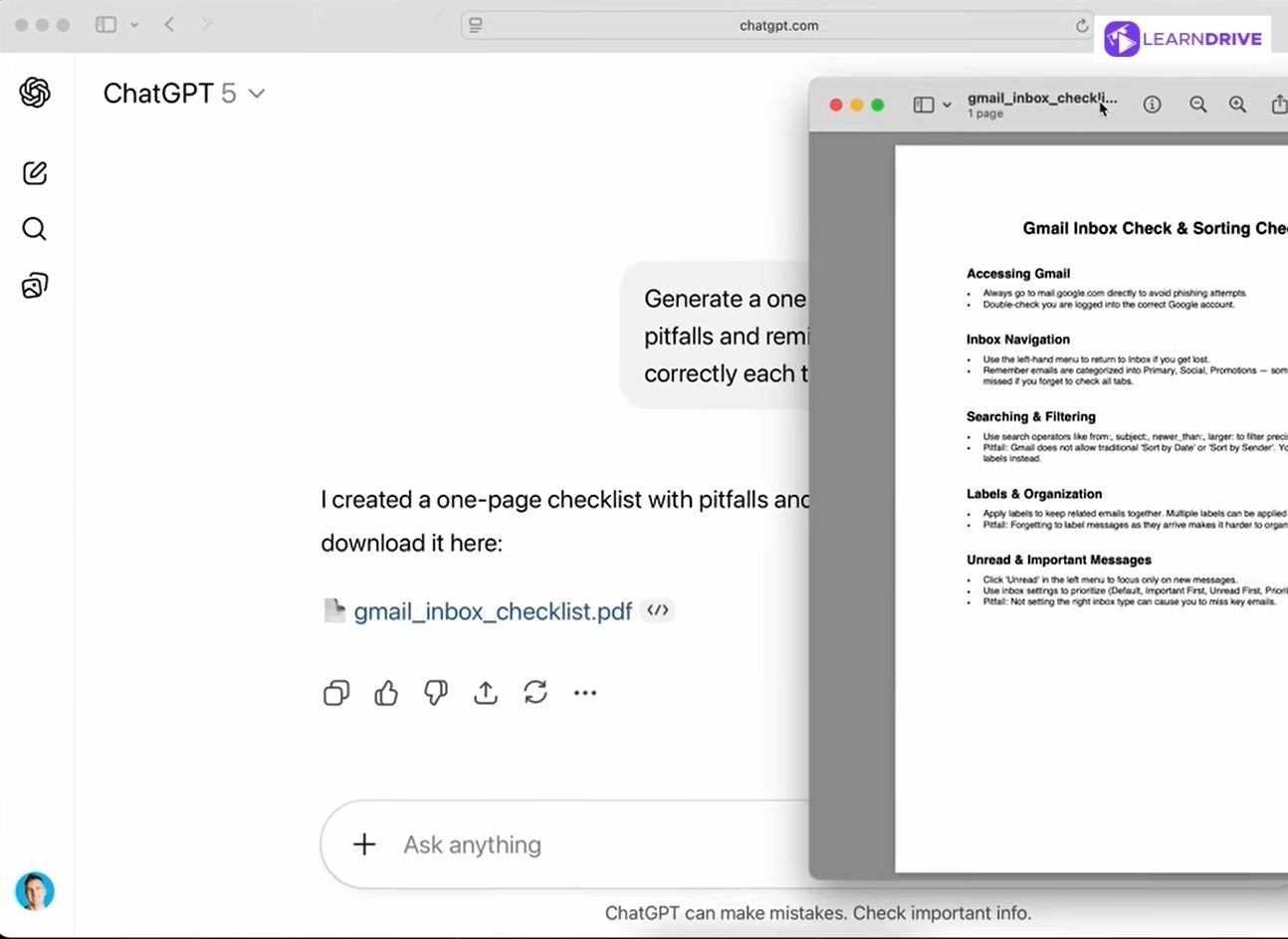
ChatGPT has changed how students approach learning, research and writing. Developed by OpenAI ChatGPT overview, it was released in 2022 as a free research preview based on GPT-3.5 and quickly became one of the most recognised AI tools.
Its popularity among students comes from its simple chat-based experience, allowing learners to explain concepts, generate ideas, summarise information and explore topics interactively.
The technology continues to evolve, but ChatGPT remains widely used as a learning assistant because it helps students understand complex ideas and organise their work more efficiently.
Best for: General explanations, drafting study plans, and working through problems conversationally. Students who want to move beyond the basics often start with a ChatGPT Masterclass to get more out of the tool.
Price: Free tier available; ChatGPT Plus is $20/month.
Pros:
Broad general knowledge across almost any subject
Free tier available, with paid plans for more advanced use
Familiar interface most students already know
Cons:
Can produce confident but inaccurate answers, so fact-checking still matters
No built-in citation trail, unlike research-focused tools
3. Claude
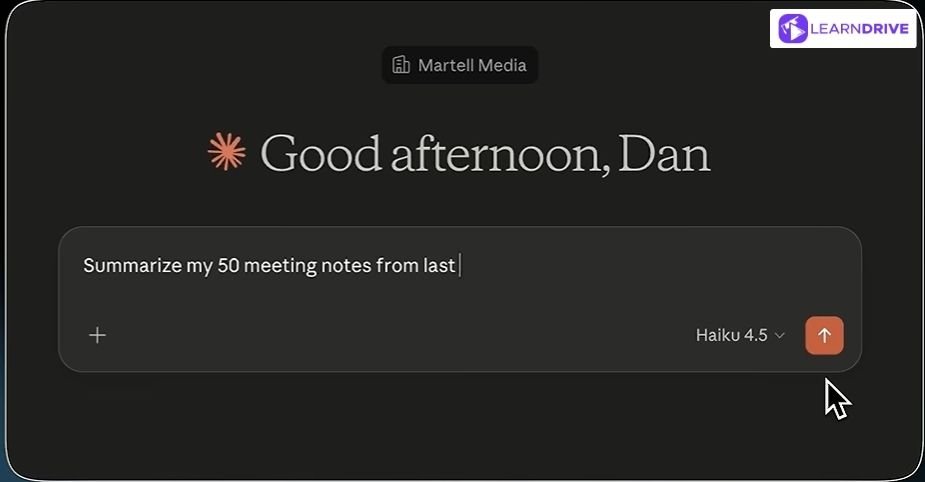
Claude is an AI assistant developed by Anthropic, designed to help users with research, writing, analysis and problem-solving. Instead of focusing on specific model names that frequently change, Claude is best understood through its capabilities, such as handling long documents, explaining complex ideas and supporting detailed workflows.
For students, Claude can be useful for summarising research papers, improving writing, analysing information and organising ideas. Its ability to process large amounts of text makes it a practical option for academic research and study tasks.
Students who want to explore Claude’s features in more detail can also learn through the Claude AI Certification Crash Course, which introduces practical ways to use Claude effectively.
Price: Free tier available; Claude Pro is $20/month ($17/month billed annually).
Pros:
Handles long documents and detailed academic text well
Strong at breaking down complex explanations step by step
Free tier available alongside paid plans for heavier use
Cons:
Like all AI tools, it can still make factual mistakes
Newer to some students than ChatGPT, so less familiar at first
4. Grammarly
Grammarly has grown from a grammar and spelling checker into a broader AI writing assistant. For students, it can provide feedback on clarity, tone and sentence structure while also supporting brainstorming, paraphrasing and citations. Its current student tools also include features for plagiarism checking and tracking how AI contributed to a piece of writing.
Best for: Reviewing essays and assignments for grammar, clarity, structure and academic writing issues before submission.
Price: Free plan available; Pro is $12/month when billed annually ($144/year) or $30/month.
Pros:
Gives writing suggestions while you draft and revise
Helps with citations, paraphrasing and checking originality
Works across common writing environments, including Google Docs and Microsoft Word
Cons:
Some advanced features require a paid plan
Suggestions still need judgement, especially when preserving your own academic voice
5. Quizlet
Quizlet combines its well-known flashcards with AI-powered study features. Students can turn notes, slides and PDFs into flashcards, study guides and practice tests instead of creating every revision resource manually. It also provides AI-powered homework help for exploring concepts and solution methods.
Price: Free plan available; Quizlet Plus starts at $2.99/month, billed $35.99 annually. Plus Unlimited is $3.75/month, billed $44.99 annually.
Best for: Turning class materials into flashcards, practice questions and revision activities for active recall.
Pros:
Quickly converts existing notes into study resources
Practice tests make exam preparation more interactive
Some AI-powered features can be used for free
Cons:
More advanced capabilities require Quizlet Plus
AI-generated study material should be checked against your original notes
For Maths & Problem-Solving
6. Photomath
Photomath approaches AI-assisted learning differently. Students can scan a maths problem with their phone or enter it manually, then work through a step-by-step explanation rather than seeing only the final answer. It covers subjects ranging from elementary maths through algebra, geometry, trigonometry, statistics and calculus.
Price: Basic is free; the paid plan costs $9.99/month or $69.99/year.
Best for: Understanding how to solve maths problems step by step when you are stuck on a calculation or method.
Pros:
Breaks solutions into individual steps
Supports several levels and areas of mathematics
Some problems include more than one solution method
Cons:
Not every maths problem can be handled equally well
Simply copying solutions can reduce its learning value; students need to work through the explanation
For Research & Academic Work
Built for finding, verifying, and digesting sources faster, without losing track of where the information actually came from. The focus here is accuracy and traceability, not just speed.
7. Perplexity AI

Perplexity was co-founded by Aravind Srinivas, Denis Yarats, Johnny Ho, and Andy Konwinski in August 2022 after Srinivas left OpenAI. The platform launched as an “answer engine” focused on providing cited responses instead of simple chatbot answers.
Its citation-first approach helps users verify information by linking directly to original sources. Throughout this guide, Perplexity appears in different categories because it supports multiple tasks, including research, source discovery, fact-checking, and information analysis
Best for: Early-stage research where you need sources you can actually follow up on.
Price: Free tier available; Pro is $20/month, with a $10/month Education Pro plan for verified students.
Pros:
Citations let you verify claims instead of taking them on faith
Faster than manually searching and cross-referencing multiple sites
Free tier covers most everyday research needs
Cons:
Source quality varies, so citations still need judgement
Less suited to long, sustained writing tasks
8. Gemini Deep Research

Google launched Deep Research in December 2024, pioneering the category of AI tools built specifically to plan, search, and synthesise multi-step research automatically. It runs on Google’s Gemini models, built by Google DeepMind under CEO Demis Hassabis, and originally used Gemini 1.5 Pro before moving to faster, more capable versions.
By early 2026, Google had upgraded Deep Research to run on newer reasoning models with far larger context windows, cutting typical research time from fifteen to twenty minutes down to five or ten.
A newer “Deep Research Max” tier, built on Gemini 3.1 Pro, pushed accuracy further still, aimed at genuinely complex, multi-source research tasks.
Best for: Broader research projects that would otherwise take hours of manual source-gathering.
Price: Free limited access through the Gemini app; full Deep Research access requires Google AI Pro, around $19.99/month.
Pros:
Saves significant time compiling material from multiple sources
Produces a structured report rather than a single short answer
Integrates with other Google tools students already use
Cons:
Reports still need independent review for accuracy
Can feel like too much output for a small, focused question
General explanations, drafting study plans, and working through problems conversationally. Students who want to move beyond the basics often start with a ChatGPT Masterclass to get more out of the tool.
9. SciSpace
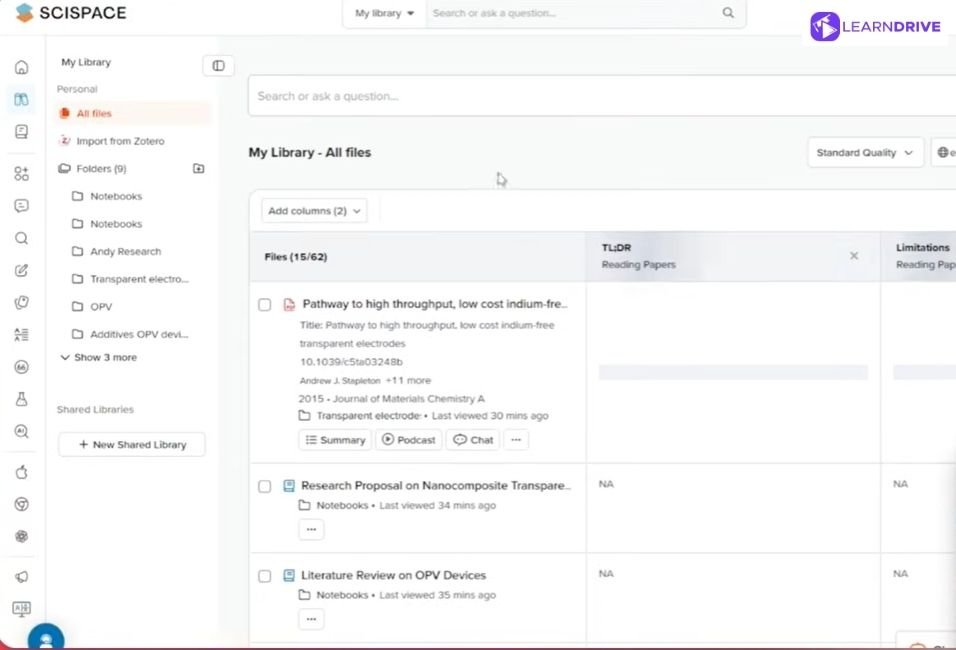
Sai Balasubramanian and Shanu Kumar founded SciSpace in 2015, originally as Typeset.io, a tool built to automate the tedious job of formatting research papers for different academic journals. What started as a formatting tool grew steadily into a broader research platform over the following years.
By the 2020s, SciSpace had shifted its focus toward reading and understanding papers rather than just formatting them, adding AI features that explain dense text, highlight key sections, and summarise findings instantly. The platform now covers a database of over 280 million academic papers, used by more than a million students, PhD candidates, and researchers worldwide
Best for: Digesting dense academic papers in science-heavy subjects.
Price: Free tier available; Premium is around $12/month billed annually, or $20/month billed monthly.
Pros:
Built specifically for academic and scientific content
Simplifies complex papers into more digestible explanations
Useful for literature reviews and dissertation research
Cons:
Less useful outside academic or scientific writing
Free tier has usage limits before requiring payment
For Coding & Technical Skills
Aimed at student developers, these tools help write, debug, and understand code rather than just generate it. The goal is learning to code better, not skipping the learning entirely.
10. Cursor AI

Four MIT students, Michael Truell, Sualeh Asif, Arvid Lunnemark, and Aman Sanger, founded Anysphere in 2022, choosing not to finish their degrees to build the company instead.
They launched Cursor in 2023 by forking Visual Studio Code and rebuilding it with AI woven directly into the editor’s core, rather than bolted on as an extension.
That architectural choice paid off fast. Cursor grew into one of the fastest-scaling software companies in recent history, and in 2026, SpaceX agreed to acquire Anysphere in an all-stock deal, bringing Cursor under its SpaceXAI division while keeping the editor available to developers as before.
Best for: Student developers who want AI help woven directly into their coding workflow.
Price: Free Hobby tier available; Pro is $20/month ($16/month billed annually). No standing student discount as of 2026.
Pros:
AI suggestions appear directly inside the coding environment
Helps explain and debug code, not just generate it
Suits students working on larger, multi-file projects
Cons:
Steeper learning curve than a simple chatbot
Best value requires a paid subscription
11. Claude Code

Anthropic introduced Claude Code as a research preview on February 24, 2025, alongside Claude 3.7 Sonnet. It gave developers a command-line agent that could inspect a codebase, edit files, and run tests. General availability followed in May 2025 alongside Claude 4.
Adoption grew fast from there. Claude Code expanded from a terminal-only tool into IDE and desktop integrations. Anthropic launched a web version in October 2025, letting users run coding sessions from a browser with no local setup needed. Usage climbed again the following winter, as non-programmers began experimenting with it for simple coding projects.
Best for: Working through assignments that involve genuine software projects rather than isolated code snippets.
Price: Included in a Claude Pro subscription ($20/month); no separate charge.
Pros:
Can work across multiple files and follow a project’s structure
Available through terminal, desktop, and IDE integrations
Useful for understanding as well as writing code
Cons:
More suited to genuine coding projects than quick one-off questions
Requires some comfort with a development environment to get the most from it
12. GitHub Copilot
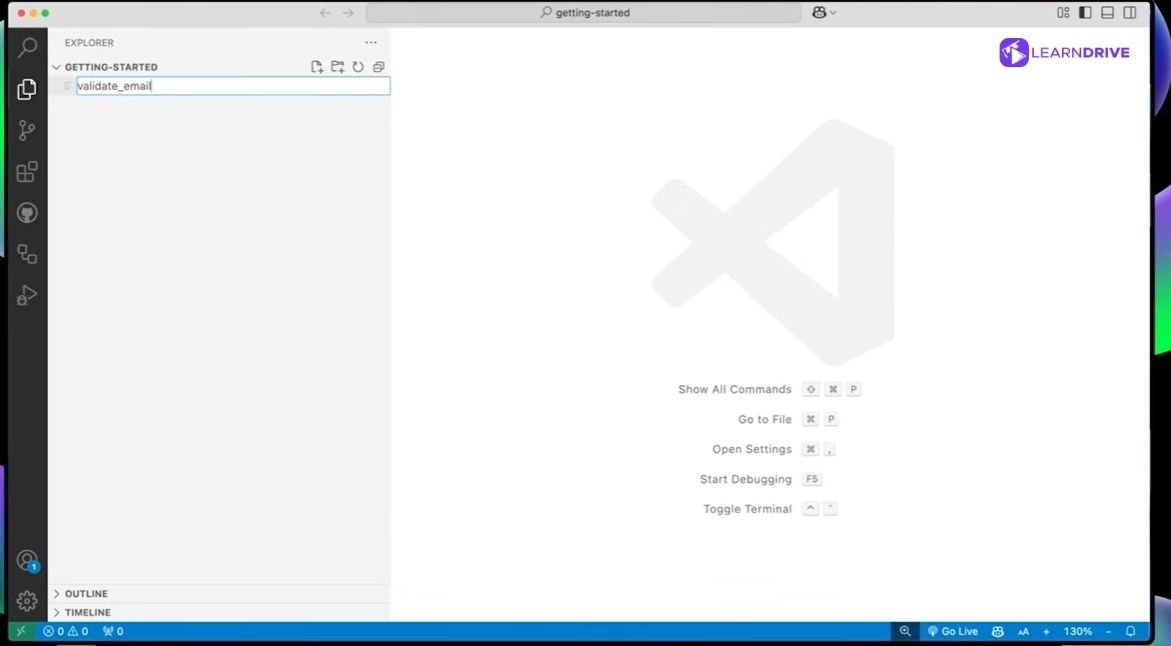
GitHub, owned by Microsoft, launched Copilot as a technical preview in June 2021, built in partnership with OpenAI and powered by OpenAI’s Codex model.
It reached general availability a year later, in June 2022, becoming the first AI coding tool to see genuine mainstream adoption among professional developers.
Copilot has since grown well beyond its original code-completion role. It now supports multiple underlying models, including options from Anthropic’s Claude and OpenAI’s newer Codex agent, letting developers choose which AI powers their suggestions inside the same familiar editor extension.
Best for: Speeding up routine coding while still writing and reviewing it yourself.
Price: Free tier available; free for verified students through the GitHub Student Developer Pack; Pro otherwise from $10/month.
Pros:
Suggestions appear in real time based on surrounding code
Free for verified students through GitHub’s education programme
Widely used, so plenty of community support available
Cons:
Can encourage copying suggestions without fully understanding them
Works best inside supported code editors
13. Google Colab
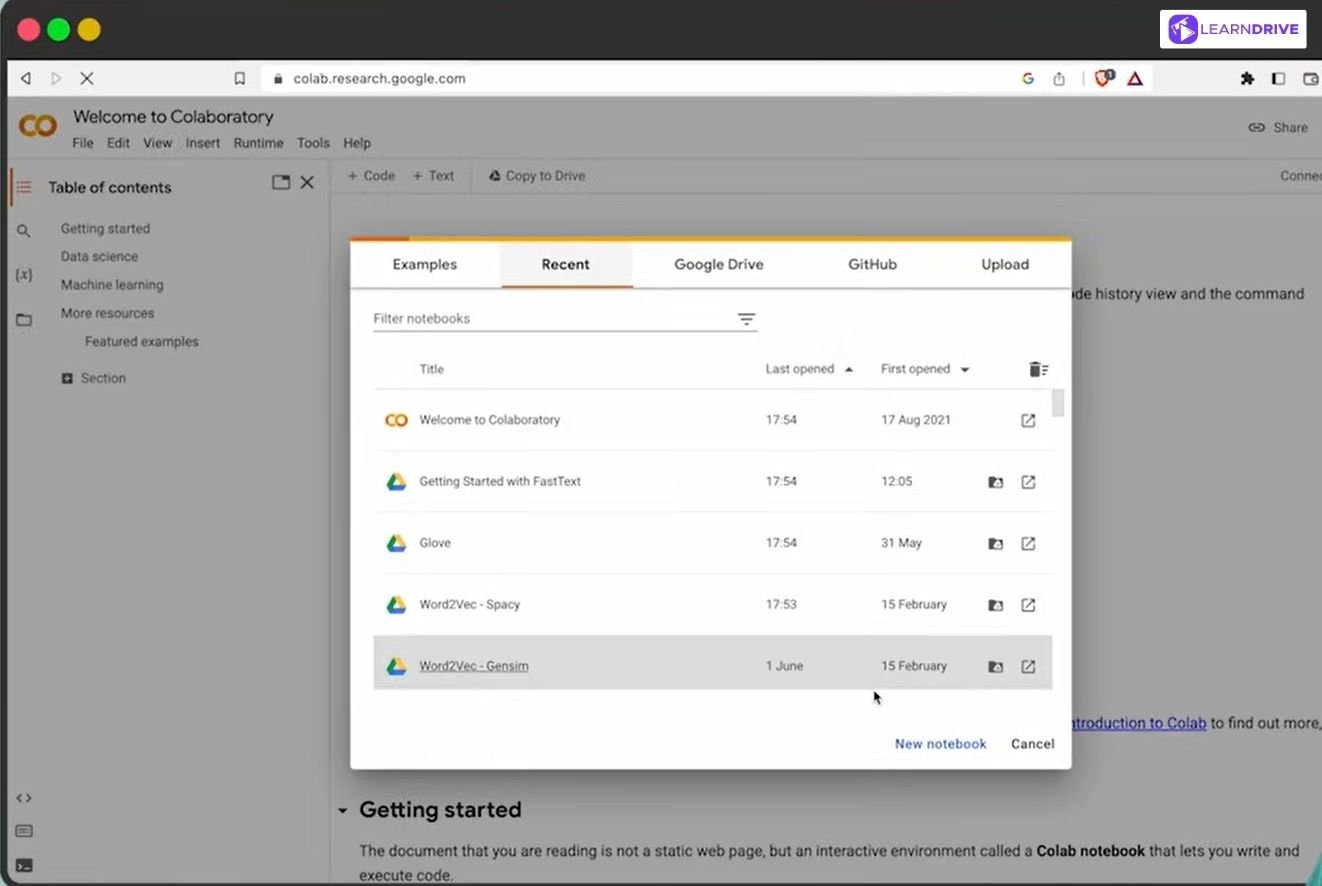
Google began building an early version of the tool in 2014, working with the Jupyter development team on what would become Colaboratory. It started as an internal project before Google gave it a quiet public release in late 2017.
Built on the open-source Jupyter Notebook format, Colab was designed to remove the biggest barrier to machine learning experimentation: expensive hardware.
By running entirely in the browser and offering free access to GPUs and TPUs, it let students and researchers train models without owning powerful computers themselves, which is exactly why it became a staple of university data science courses.
Best for: Data science and machine learning projects requiring shared, cloud-based computing.
Price: Free tier available; Colab Pro from around $10–$12/month for faster GPUs and longer runtimes.
Pros:
Free access to computing power beyond a typical laptop
Easy to share and collaborate on notebooks with classmates
Widely used in university data science courses
Cons:
Free tier has usage limits during high-demand periods
Less suited to general essay writing or non-technical subjects
For Projects & Career Growth
Less about answering questions, more about organising work and turning ideas into something visual or structured. These tools save time on the parts of a project that aren’t really about the subject itself.
14. Kaggle
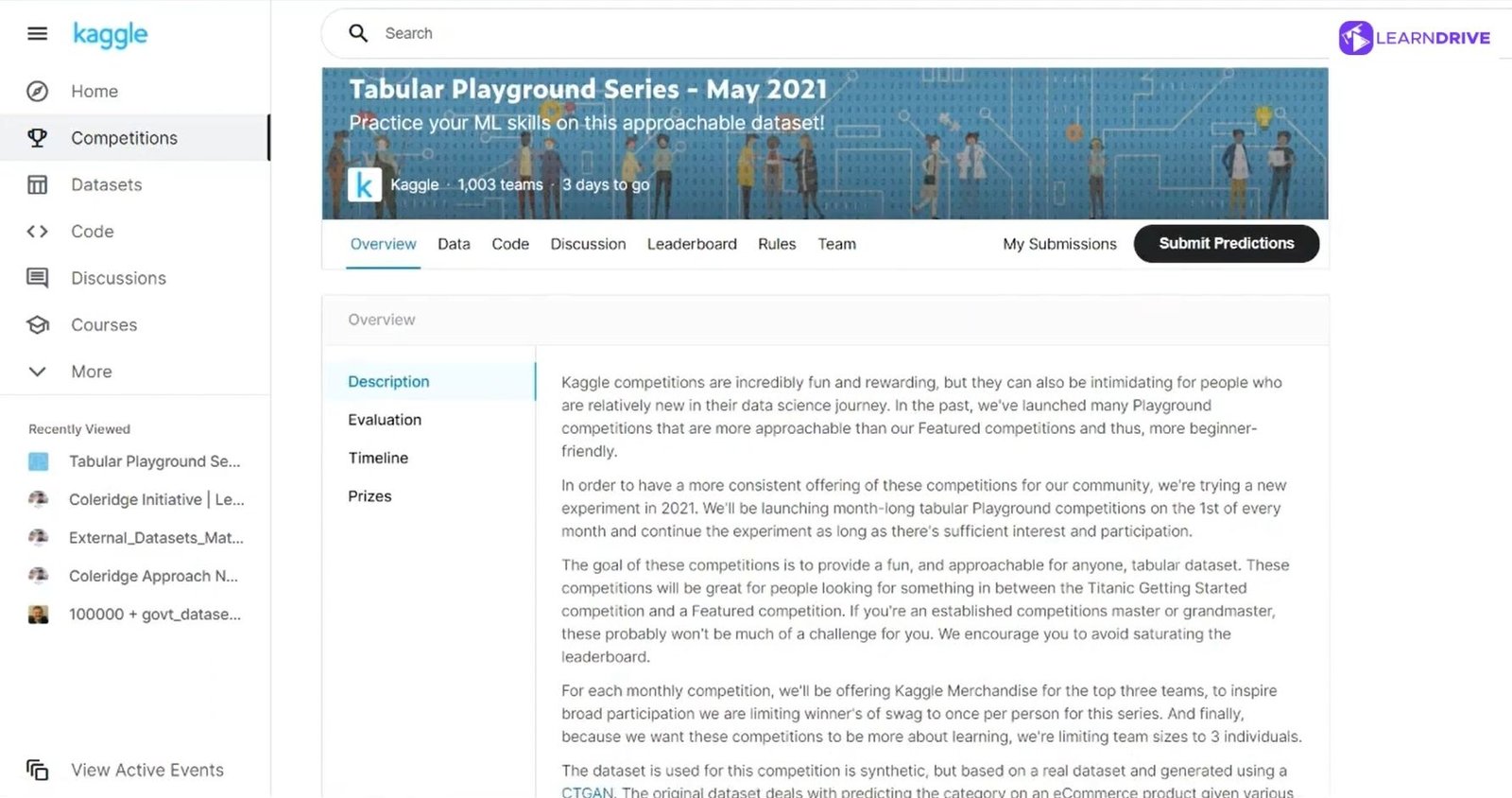
Anthony Goldbloom, an Australian economist, founded Kaggle in April 2010 in Melbourne, joined shortly after by Ben Hamner. The idea came from an observation Goldbloom made writing about predictive modelling: organisations sitting on huge amounts of data rarely had the in-house expertise to use it well, while skilled analysts often lacked access to interesting problems.
Kaggle started as a straightforward competition marketplace, where companies posted predictive modelling challenges and data scientists competed to solve them. Google acquired Kaggle in March 2017, and the platform has since grown into a much broader ecosystem of datasets, cloud notebooks, and free courses, now used by tens of millions of practitioners worldwide.
Best for: Building a practical data science portfolio beyond classroom assignments.
Price: Free.
Pros:
Real datasets and competitions look strong on a CV
Large community sharing approaches and solutions
Free to use
Cons:
Steeper learning curve for complete beginners
Competitive environment can feel intimidating at first
15. Final Round AI
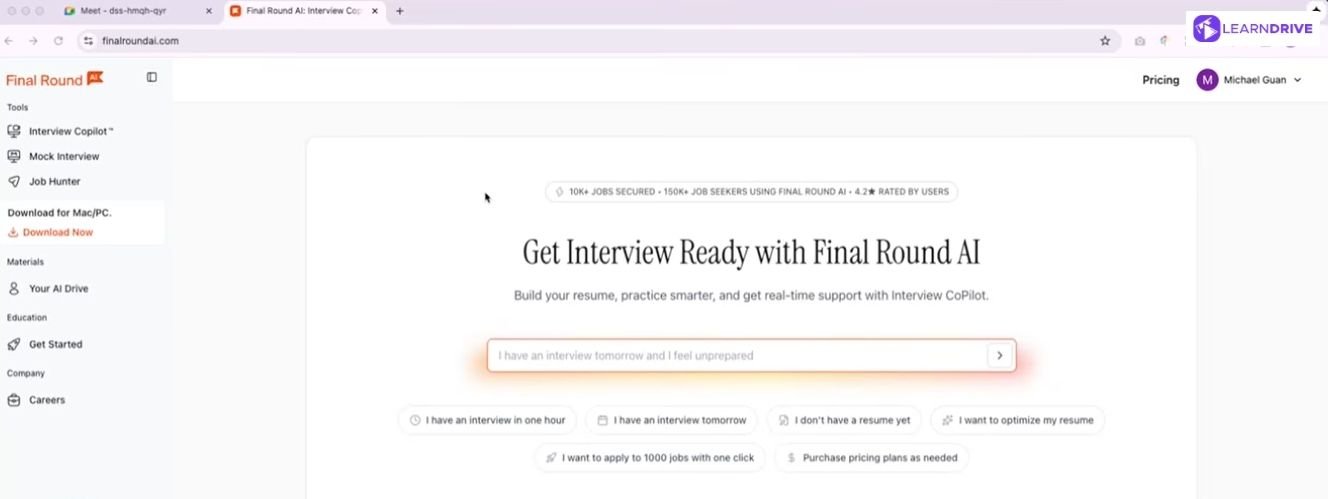
Michael Guan and Jay Ma founded Final Round AI in August 2023 in Palo Alto. Their goal was making interview preparation less stressful for job seekers. The platform grew fast, now reporting more than 10 million users.
Its core feature is AI-driven mock interviews with structured, STAR-format feedback, plus resume and cover letter tools. Worth noting: the platform also offers a live “Interview Copilot” that feeds real-time answers during actual interviews.
That crosses into territory most employers would consider dishonest. The mock interview and preparation features remain genuinely useful for building confidence before a real interview.
Best for: Structured interview practice ahead of graduate job applications.
Price: No permanent free plan, though a short trial session is available; paid plans run from around $25/month billed annually up to $90/month billed monthly.
Pros:
Turns vague interview anxiety into structured practice
Covers both technical and behavioural interview formats
Useful for building confidence before a real interview
Cons:
Practice sessions can’t fully replicate real interview pressure
Full features typically require a paid subscription
16. Notion AI

Ivan Zhao founded Notion in 2013 with Simon Last, aiming to replace fragmented productivity apps with one flexible workspace. The company nearly went bankrupt by 2015, rebuilding from scratch in Kyoto before relaunching to a much stronger reception.
Notion AI launched in private alpha in November 2022, initially built as a writing assistant using GPT-3-era technology, weeks before ChatGPT’s own launch. It reached general availability by February 2023. Zhao has since described GPT-4’s capabilities as the moment that convinced him AI could act as a genuine teammate inside the workspace, shaping how deeply AI features were built into Notion afterward.
Best for: Keeping notes, assignments, and study schedules organised in one place.
Price: Free and Plus plans include only a limited AI trial; full ongoing Notion AI access now requires the Business plan, around $20/user/month billed annually.
Pros:
Combines organisation and AI writing support in a single workspace
Useful for both individual study and group project coordination
Free tier available for students
Cons:
Can take time to set up a system that works well
AI features are an add-on cost beyond the free plan in some cases
17. Canva AI

Melanie Perkins co-founded Canva in 2012 with Cliff Obrecht and Cameron Adams, after facing more than 100 investor rejections while pitching the idea in San Francisco.
The concept grew out of Fusion Books, an earlier yearbook design tool Perkins built while still a university student, built on the same belief that professional design software was needlessly difficult for everyday users.
Canva built AI features directly into its existing platform rather than launching separate tools, aiming to make visual design accessible without prior design experience. That approach became Magic Studio, an AI suite covering text-to-design generation, background removal, and photo editing, which reportedly saw over 24 billion uses in 2025 alone.
Best for: Presentations, posters, and visual assignments without needing design skills.
Price: Free plan available; Canva Pro is £13/month or £100/year. Canva for Education gives verified K–12 students and teachers Pro features free, though this doesn’t currently extend to university students.
Pros:
Genuinely easy to use with no design background needed
Free tier covers most student presentation needs
Templates speed up visual assignments considerably
Cons:
Less suited to highly technical or data-heavy diagrams
Free tier has limits on premium templates and assets
18. Excalidraw AI

Christopher Chedeau, a software engineer at Meta who previously co-created React Native and Prettier, built Excalidraw as a personal project on 1 January 2020.
He registered the domain days later, and within months, open-source contributors had joined in, rewriting the codebase into TypeScript and React to make it more sustainable long term.
The tool’s appeal came from a deliberate design choice: no rigid grids, no precision constraints, just a hand-drawn aesthetic that made diagrams feel approachable rather than intimidating.
That simplicity paid off fast. Excalidraw grew from 12,000 users in its first weeks to 350,000 monthly users within a few years, eventually surpassing 100,000 GitHub stars and drawing contributions from hundreds of developers worldwide.
Best for: Mapping out processes, flowcharts, and diagrams for technical subjects.
Price: Core tool free forever; Excalidraw+ is around $6–$7/month for cloud storage, collaboration, and AI features.
Pros:
Quick, informal style suits brainstorming and planning
Free and works directly in the browser
Useful for computer science, engineering, and process-based subjects
Cons:
Less useful for subjects without visual or process-based content
Simpler than dedicated diagramming software for complex diagrams
Benefits and Limitations of Using AI Tools for Students
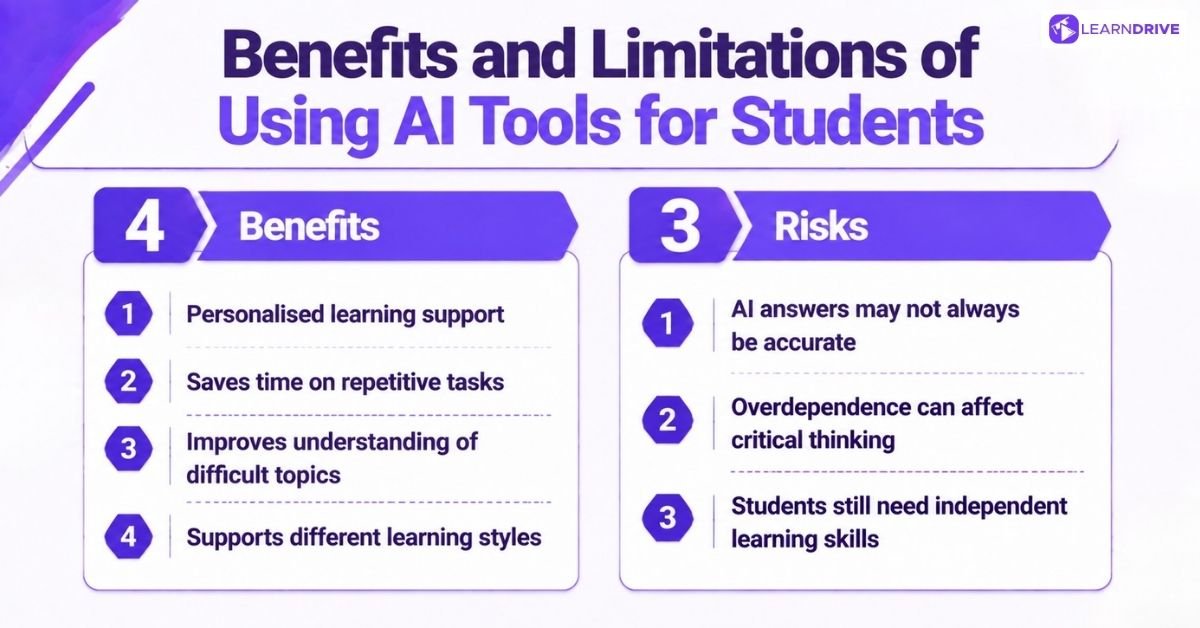
No tool is purely good or purely bad, and AI study tools are no exception. Four genuine benefits sit alongside three real risks worth understanding before relying on them daily.
4 Benefits of using AI as a Student
Used well, AI tools genuinely change how efficiently a student can learn. The improvement isn’t dramatic in any single session, but it adds up fast across a term.
Four things stand out most here. Personalised support that adapts to how a student actually learns. Saved time on tasks that were never really about learning in the first place.
Clearer explanations for concepts that just wouldn’t click before. And flexibility for whatever learning style suits a student best, whether that’s visual, auditory, or hands-on practice.
Each of these benefits is covered in more detail below.
1. Personalised Learning Support
Every student learns differently, and AI tools adapt in a way static textbooks never could. Explaining a concept five different ways until one finally clicks is something a chatbot can do endlessly, without running out of patience.
Revision tools follow the same principle. Spaced repetition apps track exactly which topics a student keeps forgetting, then adjust future sessions to focus there instead of repeating material already mastered.
2. Saving Time on Repetitive Tasks
Formatting citations, summarising long readings, and building flashcards from scratch all used to eat hours. Little of that time actually went toward learning itself. AI tools now handle most of that groundwork in minutes.
That saved time matters most during exam season, when several deadlines land close together. Less time spent on admin means more time spent genuinely reviewing material.
3. Improving Understanding of Difficult Topics
Some concepts simply don’t land the first time they’re explained. AI tools let students rephrase a question repeatedly, approaching the same idea from different angles until it finally makes sense.
This works particularly well for subjects with dense, technical language. Breaking a complicated definition into plain terms often does more for understanding than rereading the original textbook passage again.
4. Supporting Different Learning Styles
Visual learners, auditory learners, and hands-on learners all get something different from AI tools. Audio summaries, generated diagrams, and interactive practice questions each suit a different way of absorbing information.
Having that flexibility in one toolkit removes a real barrier. Students no longer need to force their learning style to match whatever format a textbook happens to use.
3 Risks Associated With AI
Every convenience comes with a catch, and AI study tools follow the same rule. Three risks stand out clearly here.
Confident answers aren’t always correct ones, and that gap catches students out often. Relying on AI too heavily can quietly wear down the thinking skills studying is supposed to build. And no tool truly replaces the independent research and writing ability students still need to develop themselves.
Understanding these limits properly matters more before AI becomes a daily habit rather than an occasional aid.
1. AI Answers May Not Always Be Accurate
Confidence in an AI’s tone does not guarantee correctness. Tools can generate plausible-sounding facts, statistics, or citations that turn out to be entirely wrong.
This risk grows with more technical or niche subjects, where fewer reliable sources exist for the AI to draw from. Fact-checking against a textbook or academic source remains essential, not optional. Learning to write clearer prompts, such as through a prompt engineering course, also cuts down how often answers miss the mark.
2. Overdependence Can Affect Critical Thinking
Reaching for AI before attempting a problem independently weakens the exact skill studying is meant to build. Each shortcut feels harmless alone, but the pattern compounds over time.
Exams and job interviews eventually expose this gap. Neither offers an AI tool to lean on, which makes independent practice throughout the year genuinely necessary.
For a closer look at how that dependence tends to build up over a term, see our piece on why AI can be bad for students.
3. Students Still Need Independent Learning Skills
Searching for sources, evaluating credibility, and structuring an argument from scratch are skills AI tools can support, but not replace entirely. Someone who never practises them struggles the moment a task demands genuine independent work.
The strongest students treat AI as a supplement to these skills, not a substitute. Built well, that combination outperforms either approach used alone.