
Who Uses AI Research Tools (And Why)
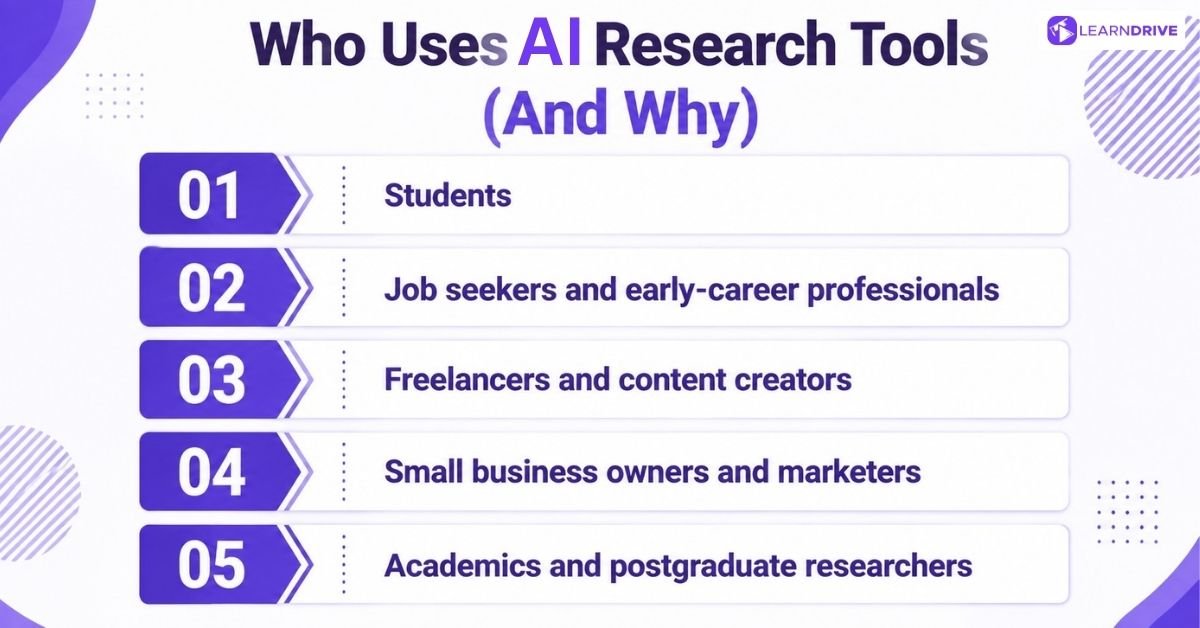
Different people open these tools for different reasons, and the reasons say a lot about which tool actually helps. A student wants speed. A job seeker wants confidence walking into a room. A freelancer wants an edge. Each group pulls a different lever from the same toolbox.
1. Students
Deadlines don’t move, so students lean on AI to compress hours of reading into minutes. Literature reviews that once took a full weekend now take an afternoon, with summaries pulled straight from the source material. Citations get checked and formatted automatically instead of by hand.
None of this replaces genuine understanding of a topic. Plenty of students are still weighing up the advantages and disadvantages of AI for students before building it into their routine, and that caution is fair.
2. Job seekers and early-career professionals
Walking into an interview cold is a bad idea, and AI has made the alternative easy. Company research, salary benchmarking, and industry trends can be pulled together in a fraction of the time it used to take.
Someone preparing for a first-round interview can now arrive knowing the interviewer’s background, recent company news, and typical pay bands for the role.
3. Freelancers and content creators
Competitor research used to mean manually scrolling through websites and social feeds for hours. Now a freelancer can ask an AI tool to summarise a competitor’s positioning, pricing, and recent content in one pass.
That time saved often goes straight back into the actual work clients are paying for.
4. Small business owners and marketers
Spotting a trend early is worth more than spotting it late. Small business owners use AI research tools to scan customer feedback, market shifts, and competitor moves without needing a dedicated research team.
A one-person operation can now do rough competitive analysis that used to require an agency.
5. Academics and postgraduate researchers
Academic work runs on citation trails, and those trails are long. Researchers use AI tools to track how a paper has been cited, surface related studies, and manage sprawling reference lists across a thesis or grant application.
The depth required here is different from a student cramming for an exam, so the tools that work best also differ.
Best AI Research Tools for Students
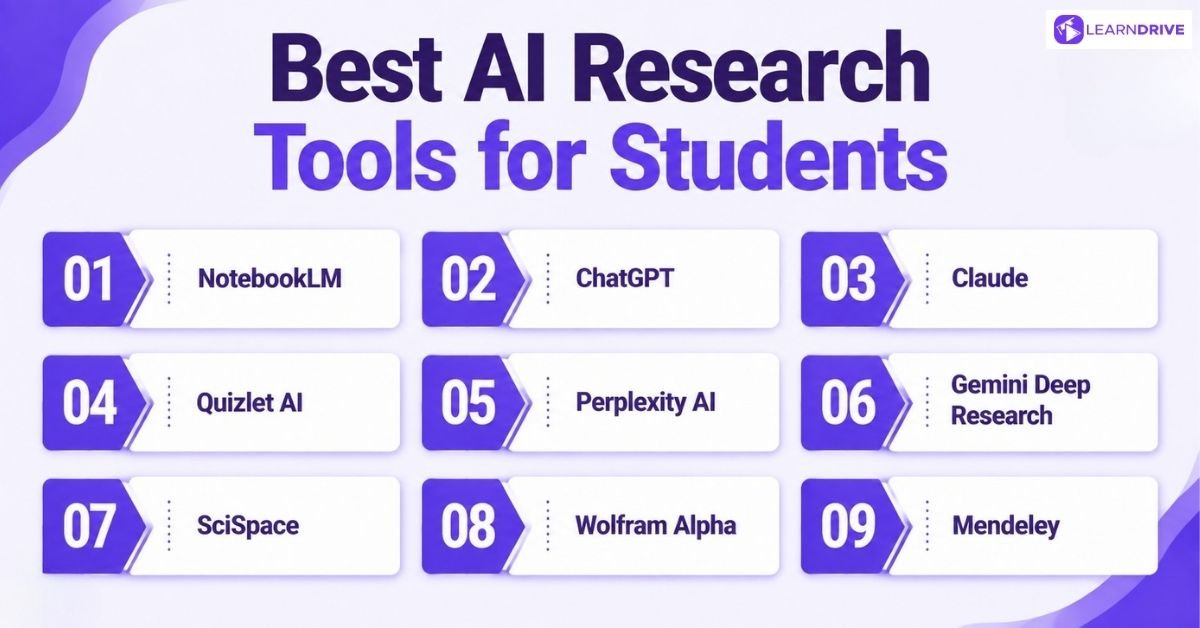
Revising for a test and writing a dissertation call for different kinds of help. One needs quick explanations and flashcards. The other needs proper sources, careful citations, and a way to manage dozens of papers at once.
That’s why the tools below split naturally into two groups. Study and learning tools handle the daily grind of revision and understanding. Research and assignment tools carry students through longer, source-heavy work.
Study & Learning
Late nights before a test call for something fast and simple. Students open these tools first, often between lectures or with a deadline just hours away. They explain confusing topics in plain language, turn scattered notes into flashcards, and answer quick questions without any real research involved.
1. NotebookLM
Google launched NotebookLM in 2023 through Google Labs, and it works differently from most chatbots. Instead of answering from general knowledge, it only reads what a student uploads, whether that’s lecture notes, PDFs, or even YouTube videos, then answers questions based purely on that material.
Pros:
Answers stay grounded in the student’s own sources, which cuts down on made-up information
The Audio Overviews feature turns dense notes into a podcast-style summary
Free to use with a Google account
Cons:
Limited to the sources uploaded, so it won’t research beyond them
Audio Overviews can occasionally miss nuance in technical subjects
Best suited to organised note-takers rather than open-ended research
2. ChatGPT
Few tools need an introduction anymore, but ChatGPT earned that recognition fast. OpenAI released it in November 2022, and students now use it to explain confusing concepts, draft essay outlines, and check their own understanding of a topic.
Pros:
Explains complex ideas in plain language, adjusting to the student’s level
Handles a huge range of subjects, from maths to literature
The free tier is enough for most everyday study tasks
Cons:
Can produce confident but inaccurate answers, so facts still need checking
Free version has usage limits during busy periods
Not built specifically for academic citation or referencing
3. Claude
Anthropic built Claude, founded in 2021 by former OpenAI researchers, and it takes a slightly different approach to long reading tasks. Students use it to hold entire textbooks or lecture packs in a single conversation without losing the thread.
Pros:
Strong at working through long documents without losing context
Tends to give careful, well-reasoned answers on tricky topics
Good at rewriting or simplifying dense academic language
Cons:
Less widely known than ChatGPT, so fewer study guides reference it
Free tier has message limits during peak times
Newer to some third-party study integrations compared to rivals
Anyone curious about getting more out of it could start with a beginner-friendly Claude course before relying on it for coursework.
4. Quizlet AI
Quizlet started small. Andrew Sutherland created it in 2005 as a teenager building flashcards for his French class, and the platform later added Q-Chat, an AI tutor that quizzes students based on their own study sets.
Pros:
Turns any notes into flashcards and practice tests automatically
Q-Chat adapts questions based on what the student keeps getting wrong
Widely used already, so it fits into existing study habits
Cons:
Built for revision rather than deep research or essay writing
Some advanced features sit behind a paid subscription
Less useful once a student moves beyond memorisation-based learning
Research & Assignments
Revision only gets a student so far. Once an assignment demands proper sources, evidence, and citations, a different kind of tool is needed. These handle longer research tasks, search through academic material, and help keep references organised across an entire piece of work.
5. Perplexity AI
Aravind Srinivas and a small team founded Perplexity AI in 2022, building something that sits between a search engine and a chatbot. It gives direct answers alongside clickable source citations, so students can check exactly where each claim came from. But its usefulness goes beyond academic research, as we’ll see when exploring how job seekers, freelancers and business owners use it for their own research needs.
Pros:
Every answer comes with linked sources, making fact-checking straightforward
Good for quickly scanning what multiple sources say about a topic
Free version covers most everyday assignment research
Cons:
Depth of analysis can be shallower than dedicated academic tools
Occasionally cites lower-quality sources alongside strong ones
Paid tier needed for the most powerful research features
6. Gemini Deep Research
Google built Deep Research as a feature inside its Gemini app, designed for tasks that need more than a quick answer. It plans a research task in stages, searches multiple sources, then compiles everything into a structured report.
Pros:
Handles multi-step research tasks with little guidance needed
Produces a full written report rather than a short answer
Integrates with other Google tools like Docs
Cons:
Reports can take several minutes to generate
Full functionality often requires a paid Google subscription
Less transparent about which sources shaped specific claims
7. SciSpace
Saikiran Chandha and Shanu Kumar founded SciSpace in Bengaluru in 2015, originally as a formatting tool called Typeset. It has since grown into an AI research assistant covering more than 280 million academic papers.
Pros:
Explains confusing sections of a paper, including maths and tables
Semantic search finds relevant papers using plain questions, not just keywords
Useful citation and literature review tools built in
Cons:
Full feature set is stronger for postgraduate work than undergraduate essays
Some advanced tools sit behind a paid plan
Interface can feel busy for first-time users
8. Wolfram Alpha
Stephen Wolfram launched Wolfram Alpha in 2009 through his company, Wolfram Research, taking a different approach entirely. Rather than searching the web, it computes answers directly using structured data and mathematical models.
Pros:
Excellent for maths, physics, and other calculation-heavy subjects
Answers are computed, not scraped, so accuracy on data queries is high
Covers a huge range of scientific and statistical knowledge
Cons:
Not designed for essay-style or humanities research
Interface feels dated compared to newer AI tools
Some detailed step-by-step solutions require a paid subscription
9. Mendeley
Victor Henning, Jan Reichelt, and Paul Föckler founded Mendeley in 2007, and Elsevier acquired it in 2013. It manages references and citations while also functioning as a network for connecting with other researchers.
Pros:
Automatically formats citations in whatever style a course requires
Syncs reading libraries across multiple devices
Free version covers the needs of most students
Cons:
Owned by a major publisher, which raises questions about neutrality for some academics
Interface hasn’t changed much in recent years
Less AI-driven than newer research assistants on this list
Best AI Research Tools for Job Seekers and Early-Career Professionals
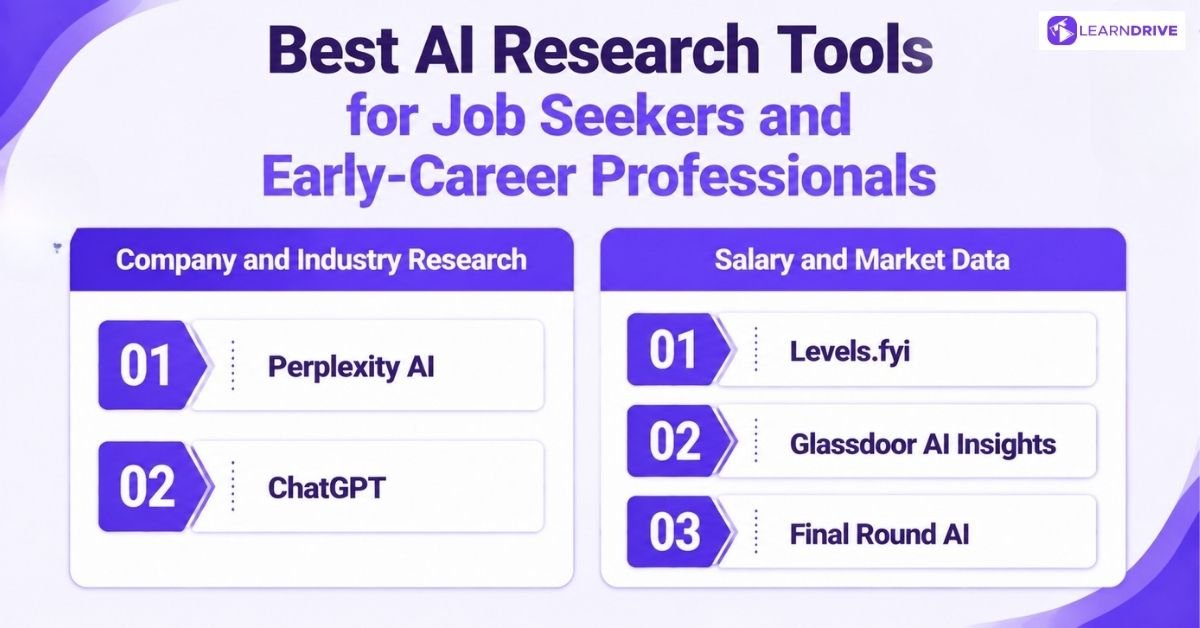
Walking into an interview cold is a bad idea, and AI has made the alternative easy. A candidate can now know a company’s recent news, its typical pay bands, and what a real interview for that role looks like, all before stepping through the door.
That kind of preparation used to take days of scattered digging. Now it splits into three clear jobs: researching the company, understanding the pay, and practising the interview itself. Here’s what handles each one best.
Company and Industry Research
Walking into an interview without knowing the company is a risk nobody needs to take.
These tools pull together background on a company, its industry, and recent news in minutes rather than hours. A candidate can walk in sounding informed instead of guessing.
10. Perplexity AI
Walking into an interview without knowing a company’s latest funding round or leadership changes is a quick way to lose credibility. Perplexity AI pulls this together fast, with sources you can actually check before repeating anything.
Covered earlier as a study tool, but here it earns its place differently: a few minutes of research before an interview or networking call can turn small talk into a smart question.
Pros:
Pulls recent company news and links straight to the source, so nothing feels outdated
Faster than manually checking a company’s website, LinkedIn, and news coverage separately
Free tier covers most pre-interview research needs
Cons:
Won’t catch internal culture details that only current or former employees would know
Can miss smaller or newer companies with limited online coverage
Best paired with a review site rather than used alone
11. ChatGPT
ChatGPT needs little introduction by this point in the guide. For job hunting specifically, candidates use it to prepare talking points about a company, or to turn a job description into a list of likely interview questions.
Pros:
Turns a job posting into a rough list of interview topics in seconds
Helps structure talking points around a company’s mission and recent moves
Familiar interface, so there’s no learning curve before an interview
Cons:
Knowledge can lag behind very recent company news unless search is switched on
Answers about a specific company can be generic without added detail
Still needs a human check before repeating anything as fact in an interview
Salary and Market Data
Knowing your worth changes how a negotiation goes. These tools gather real salary data and market benchmarks, so job seekers can walk into an offer conversation with numbers, not assumptions.
12. Levels.fyi
Zuhayeer Musa and Zaheer Mohiuddin founded Levels.fyi in 2017, after struggling to compare tech job levels between companies themselves. The platform now uses machine learning to map compensation data by company, role, and level, and offers AI-assisted negotiation support layered on top of that data.
Pros:
Salary data is crowdsourced and verified rather than self-reported guesswork
Breaks down base pay, stock, and bonuses separately, not just one total figure
Especially strong for tech roles, where compensation structures vary widely between companies
Cons:
Coverage is heavily weighted towards tech and Silicon Valley style companies
Less useful for roles outside tech, retail, or a handful of other sectors
Some negotiation features sit behind a paid service
13. Glassdoor AI insights
Rich Barton, Robert Hohman, and Tim Besse founded Glassdoor in 2007, originally to make workplace surveys public. Its Know Your Worth feature now uses machine learning to estimate personalised salary ranges based on location, experience, and role.
Pros:
Combines salary data with genuine employee reviews of the company
Covers a much wider range of industries than tech-focused rivals
Pay estimates factor in local market data, not just national averages
Cons:
Reviews and salary figures are self-reported, so accuracy varies by company
Some smaller or newer companies have limited data available
Full company insights sometimes require creating an account
Interview Preparation
Preparation beats nerves every time. These tools simulate interview questions, sharpen answers, and help candidates practise until their responses feel natural rather than rehearsed.
14. Final Round AI
Jay Ma and Michael Guan founded Final Round AI, building an AI-powered interview assistant that offers both practice tools and live, real-time support during actual interviews. Its Interview Copilot generates suggested answers on screen while a candidate is speaking.
Pros:
Mock interview mode gives structured practice by role and company beforehand
Post-interview feedback breaks down performance question by question
Trained on a large volume of real interview data, which sharpens technical answers
Cons:
The live, real-time answer feature raises fairness questions, since some employers treat it as a form of cheating
Full access to Interview Copilot sits behind a paid plan
Leaning on live prompts during a real interview can leave candidates underprepared once hired
Best AI Research Tools for Freelancers and Content Creators
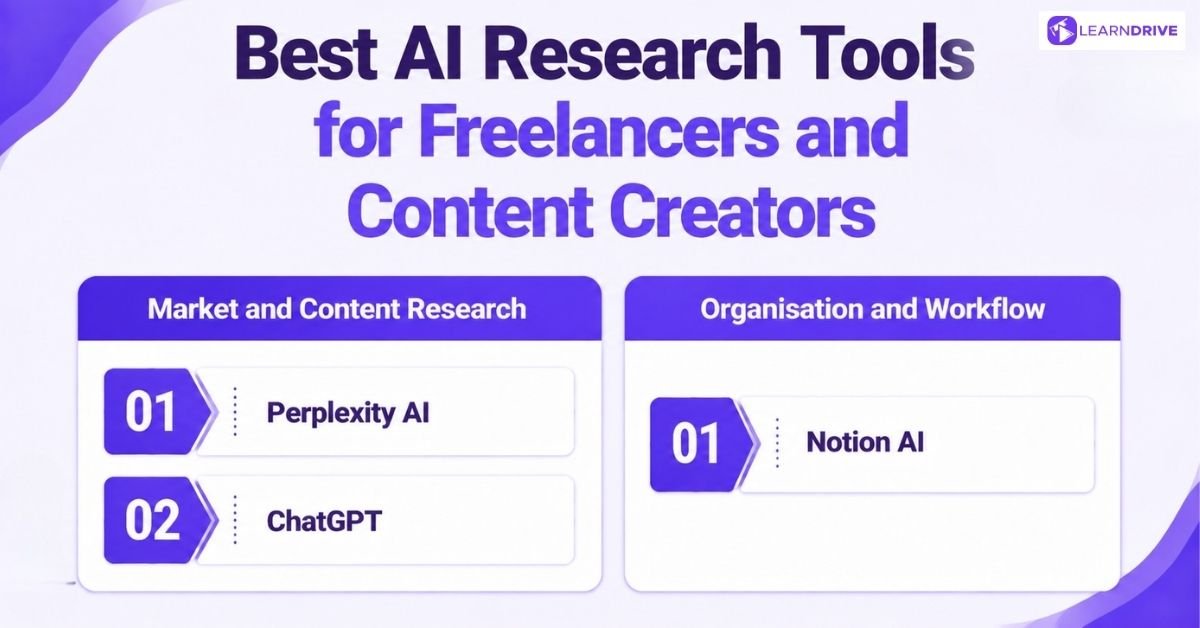
Nobody hands a freelancer a research department. Every competitor check, every trend spot, every piece of background reading falls on one person, usually squeezed between paid client work.
These tools exist to shrink that workload without shrinking the quality of the output.
Market and Content Research
Freelancers rarely have a research team behind them, so the work falls on their own shoulders. These tools scan competitors, trends, and content gaps quickly, turning hours of manual digging into a single focused search.
15. Perplexity AI
For freelancers, Perplexity AI takes on a different role. Instead of researching academic topics, it helps content creators explore competitors, track industry trends and find fresh content ideas.
A freelancer can use it to see what competing brands are publishing, identify potential content gaps and check the original sources before turning those findings into client work.
Pros:
Cited sources make it easy to verify claims before quoting them to a client
Fast enough to research a topic between other paid work
Free tier is generous enough for regular freelance use
Cons:
Struggles with very niche or highly local markets that lack strong online coverage
Not built for long-form content drafting, only the research stage
Deeper competitor analysis still needs a paid plan
16. ChatGPT
OpenAI’s ChatGPT does double duty for freelancers, handling both research and the writing that follows it. Content creators use it to brainstorm angles on a topic, then check what’s already been covered before starting a draft.
Pros:
Moves smoothly from research into drafting within the same conversation
Good at spotting content gaps once given a topic and a competitor list
Familiar enough that most freelancers need no learning curve
Cons:
General knowledge can be outdated unless web search is switched on
Won’t automatically flag which competitor content is actually ranking well
Best used alongside a dedicated SEO or analytics tool, not instead of one
Organisation and Workflow
Good research means nothing if it gets lost in scattered notes and tabs. These tools keep ideas, projects, and findings organised in one place, so nothing useful slips through the cracks.
17. Notion AI
Ivan Zhao and Simon Last founded Notion in 2013, building it as an all-in-one workspace for notes, projects, and documents. Notion AI arrived in 2023, layering AI writing and search directly on top of whatever a freelancer already has stored in their workspace.
Pros:
Searches across a freelancer’s entire workspace, not just one document
Summarises long client briefs or research notes into quick, usable points
Keeps research, drafts, and project tracking in a single connected system
Cons:
The AI features sit on top of a paid Notion plan, not the free tier
Takes time to set up properly before the organisation benefits show
Less useful for one-off research than for ongoing, ordered projects
Best AI Research Tools for Small Business Owners and Marketers
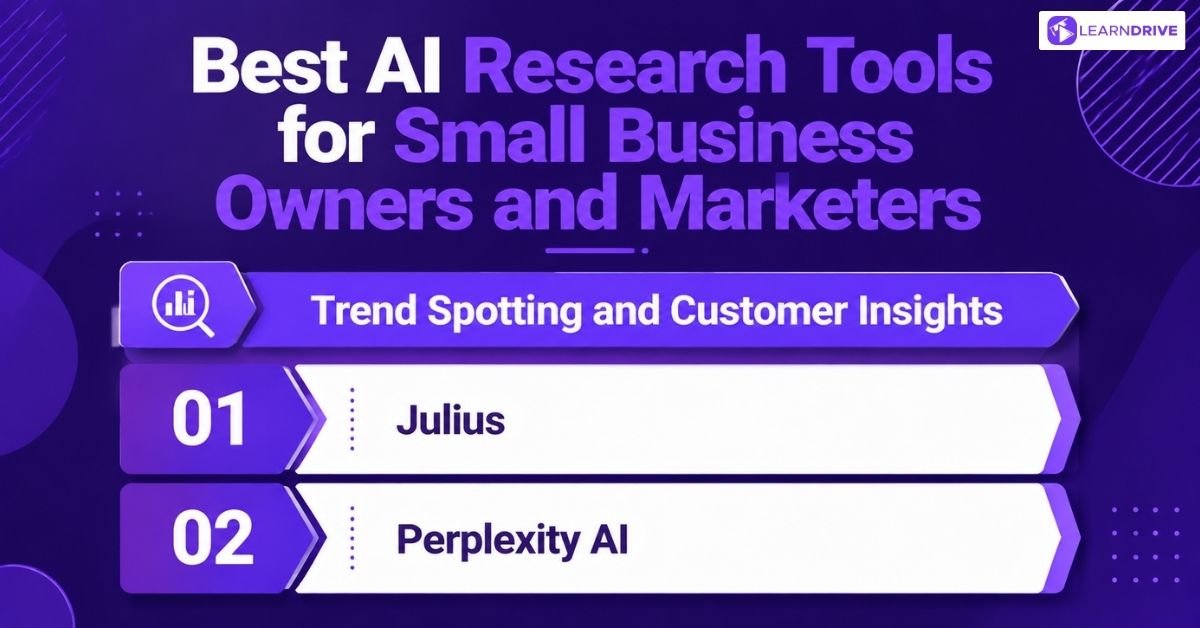
Nobody staffs a five-person business with a full research team, yet the decisions still have to be made. Which product is selling. Which customer complaint keeps repeating. Which competitor just changed their pricing. These tools do the digging that a bigger company would hand to an analyst.
Trend Spotting and Customer Insights
Spotting a shift before a competitor does is often the whole advantage. These tools scan customer feedback and market signals early, giving small business owners and marketers a head start without needing a dedicated research team.
18. Julius
Rahul Sonwalkar founded Julius in 2022, building it after leaving a role at Uber to solve a problem he’d seen firsthand: most people who need data insights can’t code. A business owner uploads a spreadsheet, asks a question in plain English, and Julius returns a chart, a forecast, or a statistical answer within seconds.
Pros:
No coding or spreadsheet formulas needed, just a plain-English question
Handles forecasting and trend analysis that would normally need a trained analyst
Shows the underlying code, so results can be checked rather than taken on faith
Cons:
Free plan is limited to 15 messages a month, which suits occasional use only
Complex or highly specialised statistical requests can still return the wrong method
Best suited to businesses that already have data to upload, not ones starting from scratch
19. Perplexity AI
For small business owners, Perplexity AI shifts jobs again. Instead of company-specific research, it’s useful for scanning the wider market, summarising competitor moves, industry trends, and customer sentiment from across the web, all with sources attached.
Already covered earlier in this guide, but here it’s less about one company and more about spotting where the market is heading before a competitor does.
Pros:
Surfaces competitor pricing, positioning, and recent news in one search
Every claim links to its source, useful when reporting findings to a wider team
Free tier is enough for regular trend-checking without extra cost
Cons:
Reflects what’s publicly available online, so private competitor data stays out of reach
Less useful for analysing a business’s own internal numbers
Depth varies depending on how well-covered the industry is online
Best AI Research Tools for Academics and Postgraduate Researchers
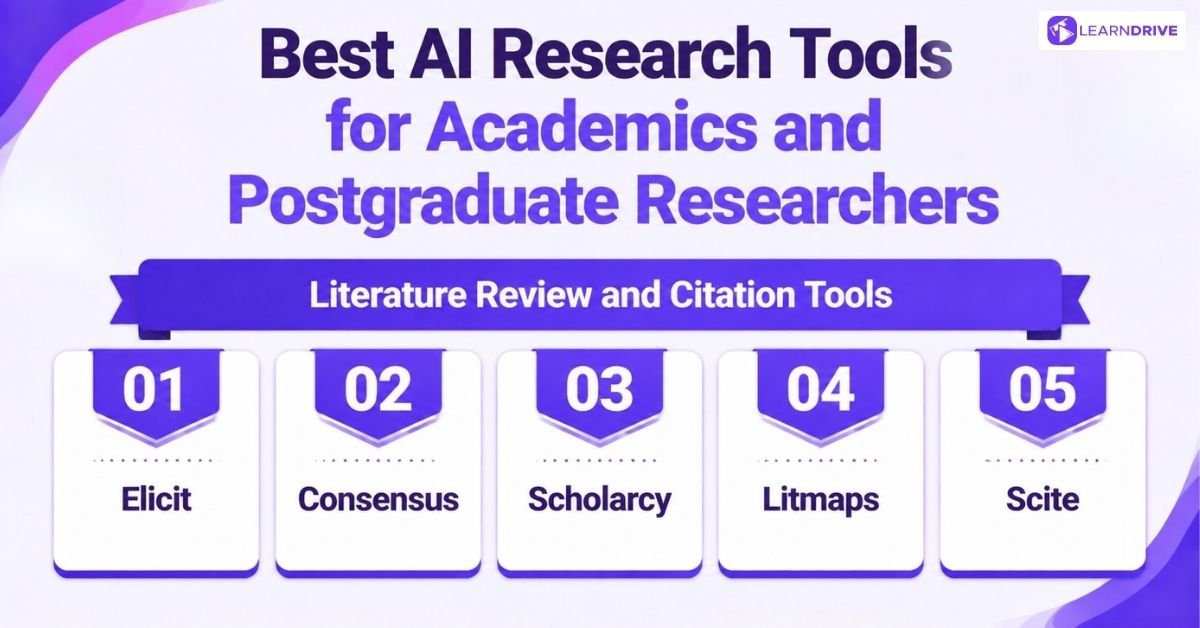
A thesis or grant application runs on hundreds of citations, and getting any of them wrong can undermine the whole argument. These tools were built specifically for that kind of pressure, going deeper than a quick summary or a general chatbot ever could.
Literature Review and Citation Tools
Academic work runs on long citation trails and dense literature reviews. These tools track how papers connect, surface related studies, and keep sprawling reference lists under control across a thesis or grant application.
20. Elicit
Andreas Stuhlmüller and Jungwon Byun built Elicit inside Ought, a nonprofit AI research lab, before it spun out as its own public benefit company in 2023. Rather than answering from general knowledge, it searches scholarly databases directly, then extracts findings into structured, comparable tables.
Pros:
Pulls specific data points, like sample size or methodology, straight into a table
Semantic search finds relevant studies even without exact keyword matches
Sentence-level citations make it easy to trace a claim back to its source
Cons:
Free plan is limited, and deeper systematic review tools sit behind paid tiers
Works best for empirical research, less so for humanities or theoretical work
Extracted data still needs a researcher’s own review before it’s trusted fully
21. Consensus
Eric Olson and Christian Salem founded Consensus in 2021, building a search engine that draws answers from over 200 million scientific papers instead of the open web. It highlights whether the evidence across multiple studies leans one way or shows genuine disagreement.
Pros:
Prioritises authoritative research over popular or SEO-friendly results
Shows a consensus meter, making it easy to spot where studies actually disagree
Answers stay grounded in cited papers rather than general model knowledge
Cons:
Coverage favours scientific and health topics over humanities research
Some advanced filtering and search features require a paid plan
Best used to locate and compare evidence, not to replace close reading of a paper
22. Scholarcy
Phil Gooch and Emma Warren-Jones founded Scholarcy in London in 2018, after Gooch grew frustrated with slowly working through stacks of papers during his own PhD. It converts long documents into structured summary flashcards, pulling out key claims, methods, and findings automatically.
Pros:
Extracts text directly from the source rather than rewriting it, which limits inaccurate paraphrasing
Works across formats, including PDF, web pages, and even video
Integrates with reference managers like Mendeley and EndNote
Cons:
Summary flashcards suit skimming more than deep, careful reading
Some features are locked behind a paid Scholarcy Library subscription
Less useful once a researcher needs to analyse a paper’s full argument in detail
23. Litmaps
Axton Pitt, Kyle Webster, and Digl Dixon founded Litmaps, launching it in late 2020 to solve their own frustration with tracking how papers connect. It turns a paper’s citation network into a visual map, showing related studies as linked dots rather than a plain list.
Pros:
Visualises how research connects, making gaps in a field easier to spot
Literature Alerts flag new relevant papers automatically, so nothing gets missed
Works from a single seed paper, useful when starting research in an unfamiliar area
Cons:
Free accounts are limited to a small number of maps
Visual maps take some getting used to compared with a plain search list
Less suited to extracting detailed data from individual papers
24. Scite
Josh Nicholson co-founded scite, building what it calls Smart Citations, which show not just how many times a paper has been cited but whether later research supported or contradicted its findings. The tool has indexed over a billion citation statements from major publishers.
Pros:
Flags whether a citation actually supports or contradicts the original claim
Useful for checking whether a study’s findings have held up under later scrutiny
Integrates directly into many publishers’ own article pages
Cons:
Classification of citations as supporting or contrasting isn’t always perfectly accurate
Coverage depends on publisher partnerships, so some journals are missing
Full access to citation search sits behind a subscription
Best AI Research Tools for Coding, Career Projects & Portfolio Work
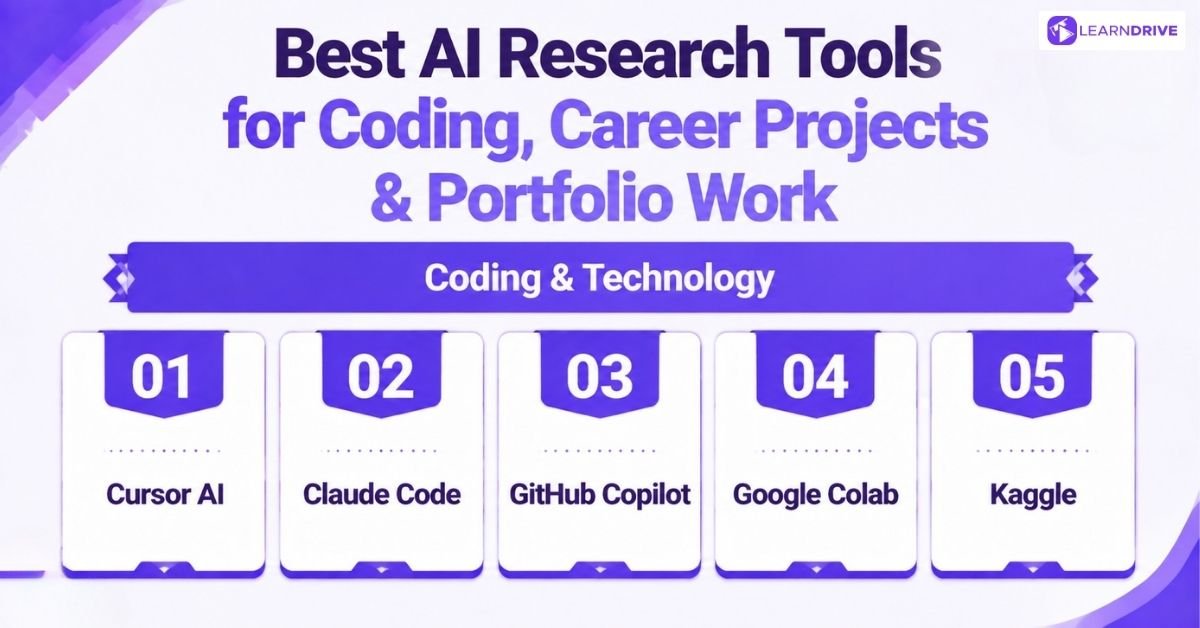
Landing a technical role takes more than knowing how to code. It takes visible proof, working projects, clean repositories, something a hiring manager can actually look at. These tools help build that proof while making the coding itself faster.
Coding & Technology
A finished project counts for more than a finished course certificate. These tools help turn an idea into working code, cutting out the hours normally lost to setup, syntax errors, and staring at a blank editor.
25. Cursor AI
Michael Truell, Sualeh Asif, Arvid Lunnemark, and Aman Sanger, four friends who met at MIT, founded Anysphere in 2022 to build Cursor. Rather than adding AI as a plugin, they forked the VS Code editor itself, so AI assistance is built into how the whole editor works.
Pros:
Understands an entire codebase, not just the file currently open
Can generate, edit, and run code across multiple files in one request
Familiar to anyone who has used VS Code before, so setup is quick
Cons:
Free tier has usage limits that heavy users will hit quickly
Best value comes from paid plans, which add up for casual coders
Steeper learning curve than a simple chatbot for coding beginners
26. Claude Code
Anthropic built Claude Code as an agentic coding tool that runs from the terminal, letting developers hand off coding tasks directly rather than copying code back and forth from a chat window. It can read a codebase, make edits across multiple files, and run commands on its own.
Pros:
Works directly in existing developer workflows, rather than a separate chat app
Handles multi-step coding tasks with less manual copying and pasting
Useful for both writing new code and understanding an unfamiliar codebase
Cons:
Aimed more at developers than complete beginners to coding
Requires comfort working from a command line
Full capabilities are easiest to reach through a paid Claude plan
27. GitHub Copilot
GitHub, owned by Microsoft, launched Copilot in 2021, building it on OpenAI’s Codex model to suggest code as developers type. It has since grown from simple autocomplete into a broader coding assistant across GitHub’s platform.
Pros:
Deep integration with GitHub, where most developers already store their code
Strong at suggesting boilerplate and repetitive code automatically
Wide language support across most popular programming languages
Cons:
Suggestions can be generic without enough project-specific context
Full features require a paid subscription beyond the free student tier
Less capable than dedicated AI editors at large, multi-file changes
28. Google Colab
Google built Colab as a free, browser-based way to run Python notebooks without installing anything locally. It gives users free access to cloud computing power, including GPUs, which matters for anyone working on data science or machine learning projects.
Pros:
Free GPU access lowers the barrier for machine learning projects
Notebooks are easy to share, useful for building a visible portfolio
No local setup needed, so it works from almost any computer
Cons:
Free tier has usage limits and can disconnect during long-running tasks
Less suited to large, production-style software projects
Requires some familiarity with Python and Jupyter notebooks to use well
29. Kaggle
Anthony Goldbloom and Ben Hamner founded Kaggle in Melbourne in 2010, building a platform where organisations post real data problems and data scientists compete to solve them. Google acquired Kaggle in 2017, and it now operates as part of Google Cloud.
Pros:
Real competitions and datasets give portfolio work genuine credibility
Free access to notebooks, GPUs, and a huge library of public datasets
Visible rankings and badges signal skill level to potential employers
Cons:
Competitive nature can be intimidating for complete beginners
Winning solutions can be complex, which limits their teaching value for newcomers
Best suited to those already comfortable with the basics of coding and statistics
Best AI Research Tools for Creativity, Presentations & Diagrams
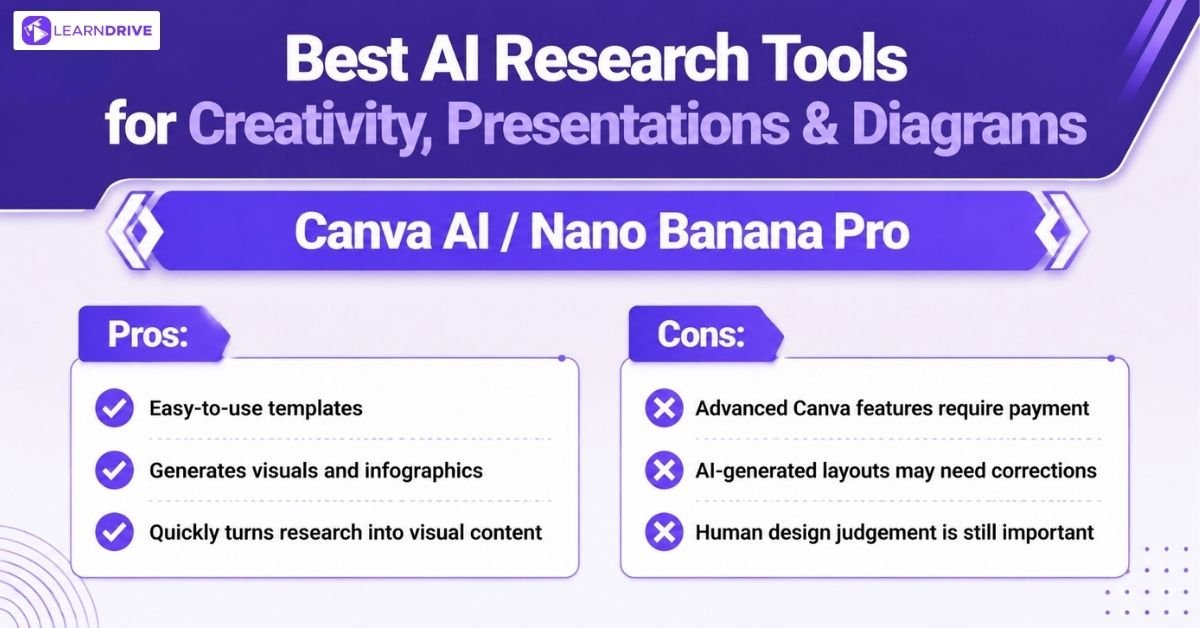
Research and code eventually need to be shown to someone, a hiring manager, a client, a professor. These tools turn raw findings into something visual and easy to follow, which often matters as much as the research itself.
Visual Tools
A wall of text rarely convinces anyone. A clear diagram or a sharp infographic often does the job in seconds, whether that’s explaining a system, pitching an idea, or dressing up a set of findings for a report.
30. Canva AI / Nano Banana Pro
A wall of text rarely convinces anyone. A clear diagram or a sharp infographic often does the job in seconds, whether that’s explaining a system, pitching an idea, or dressing up a set of findings for a report.
In late 2025, Google released Nano Banana Pro, officially Gemini 3 Pro Image, a separate but complementary AI model built for generating detailed infographics, diagrams, and visuals from a written description, including accurate text rendering inside the image itself.
Pros:
Canva’s templates make polished presentations and posters achievable with no design skill
Nano Banana Pro renders legible text inside generated images, useful for infographics and diagrams
Both tools work well for turning research findings into something visual, fast
Cons:
Canva’s more advanced AI features and premium templates sit behind a paid plan
Nano Banana Pro can still misjudge complex layouts on the first attempt
Neither replaces a human eye for genuinely original brand or portfolio design
The Ultimate Research-friendly AI Tools Comparison Table

Is It Cheating? Using AI Research Tools Responsibly
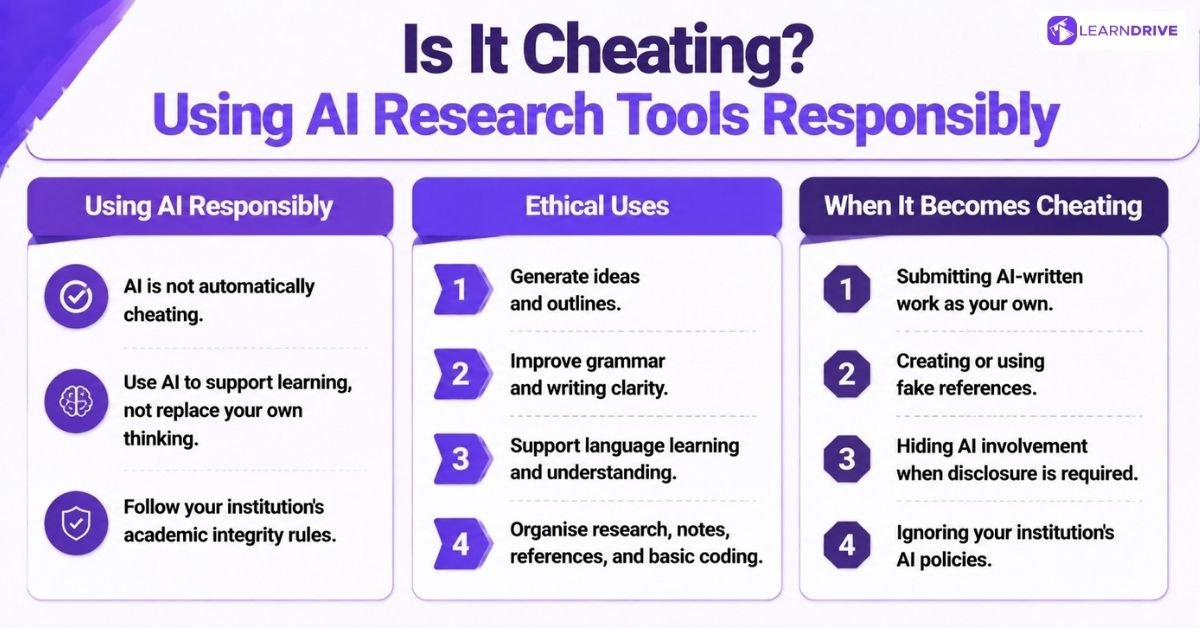
Using AI research tools is not considered cheating by default. The difference between ethical AI use and academic dishonesty depends on whether AI supports your learning or replaces your own thinking.
When used responsibly, AI can help with research, idea generation, editing, and productivity while keeping your own analysis and academic integrity at the centre.
Ethical Ways to Use AI Research Tools
AI can be a valuable learning assistant when used to improve your understanding and strengthen your work. Responsible uses include:
1. Generating Ideas and Outlining: Use AI to brainstorm topics, organise ideas, and create a starting structure for your work.
2. Improving Writing Quality: Use AI for grammar checks, proofreading, and making your existing writing clearer.
3. Supporting Language Learning: Translate difficult terms, explain concepts, and improve understanding of unfamiliar content.
4. Managing Research Tasks: Automate repetitive tasks such as formatting references, organising notes, or assisting with basic coding.
When Does Using AI Become Academic Cheating?
AI becomes problematic when it replaces your own effort, judgement, or original contribution. Examples include:
1. Submitting AI-Written Work as Your Own
Using AI to create essays, assignments, research papers, or arguments without meaningful input.
2. Creating Fake References
Including AI-generated citations, sources, or research papers that do not actually exist.
3. Misrepresenting AI Contributions
Presenting AI-generated content as entirely your own work when disclosure is required.
4. Ignoring Academic Policies
Using AI secretly when your institution has rules requiring students to declare AI assistance
3 Common Mistakes People Make When Using AI Research Tools
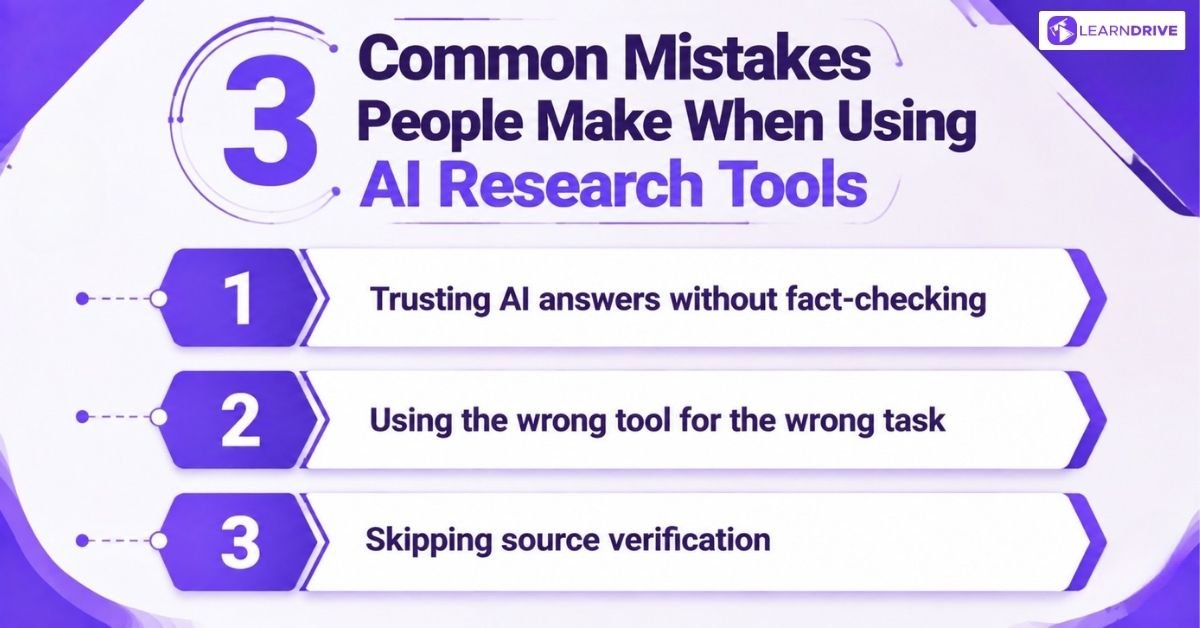
Even useful tools cause problems when they’re used carelessly. These are the mistakes that come up most often, across students, freelancers, and professionals alike.
1. Trusting AI answers without fact-checking
An AI tool sounding confident isn’t the same as an AI tool being right. Chatbots can state incorrect information with the same tone as accurate information, so nothing should go into a dissertation, a client report, or an interview answer without a second check against a real source.
2. Using the wrong tool for the wrong task
Asking a flashcard app to conduct a systematic literature review, or asking a general chatbot to compute exact statistics, usually ends badly.
Each tool in this guide was built for a specific kind of task, and stretching one far outside its strength is where most disappointing results come from.
3. Skipping source verification
A citation that looks real isn’t always real. AI tools can occasionally invent sources, mangle a reference, or misattribute a claim, so following the actual link back to the original paper or article remains a habit worth keeping, no matter how good the tool has become.