How to Choose the Right Coding Tutorial for Your Learning Goals?
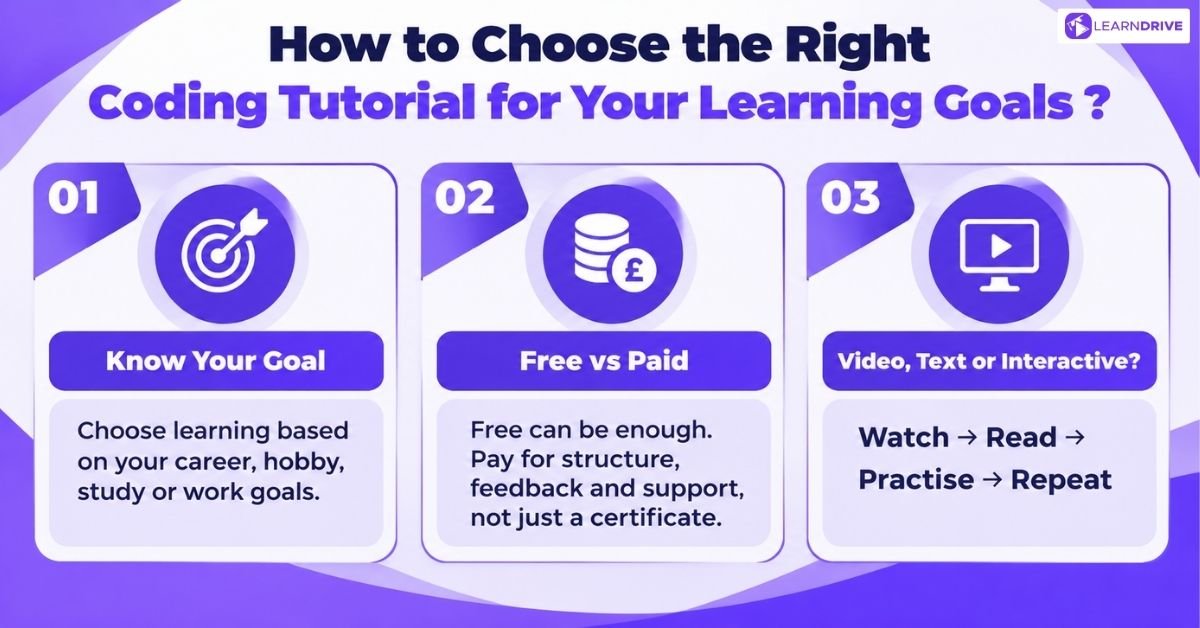
A useful tutorial should answer three questions: what will you learn, what will you build, and what knowledge does it assume? Check those details before comparing prices.
Know Your Goal First
For a career switch, prioritise a coherent curriculum, independent projects and opportunities to explain your decisions. Include debugging, version control and reading unfamiliar code.
For a hobby project, work backwards from something specific, such as a personal website or expense tracker. Learn the concepts required for its first working version.
For an exam or degree, match tutorials to your syllabus. For workplace upskilling, choose a task you could improve through programming, then identify the missing skills.
Free vs Paid and What Your Money Buys
Free resources can provide substantial teaching and practice. Paying becomes useful when a course supplies something you need, such as assessments, organised lessons or instructor support.
Compare the actual package before enrolling. Check access duration, prerequisites, certificate conditions and whether feedback involves a person or automated checks.
Avoid treating a higher price as evidence of better teaching. A sample lesson should show how the instructor explains mistakes and develops understanding.
For example, compare two courses by inspecting the same topic, such as functions. Does each explain why functions are useful, or only show syntax?
Look for a task that requires choosing an approach. Exercises with slightly different requirements can reveal whether you can transfer the lesson to unfamiliar situations.
Video Text or Interactive Lessons
Video helps you observe a workflow. Written tutorials make specific details easier to revisit. Interactive exercises let you test an idea immediately.
Treat these as formats to combine, rather than fixed learner categories. Watch a demonstration, recreate it independently, then consult written explanations when something breaks.
Choose accessible materials with readable examples, useful captions and manageable lesson lengths. The best format is one that helps you practise actively.s
5 Best Places to Learn Programming for Beginners in the UK

These platforms provide different starting experiences. Choose guided exercises for an easier introduction, or a project curriculum when you want a longer development pathway.
1. freeCodeCamp
freeCodeCamp offers a free curriculum alongside programming articles, videos and community resources. It suits learners who want accessible practice without an initial course purchase.
Use the curriculum as your main sequence. After completing an exercise, change the example and predict what should happen before running it.
The correct answer is only the first checkpoint. Try explaining the concept without looking at the instructions, then use it in a small personal project.
2. Codecademy
Codecademy combines browser coding environments with structured courses and learning paths. Its free Basic plan provides an entry point, while paid plans unlock additional features.
This format may suit learners who want to start practising before configuring local software. Review the plan comparison because career features and assessment access vary.
As your confidence grows, recreate exercises outside the platform. Working in your own editor helps you understand files, installation and troubleshooting beyond guided prompts.
3. The Odin Project
The Odin Project starts with Foundations before offering full stack JavaScript and Ruby on Rails pathways. Its curriculum centres on building websites and developing practical skills.
Consider it when web development is your main goal and you want a connected sequence. Expect to spend time reading, configuring tools and solving problems independently.
Keep notes about obstacles you overcome. Your explanation of a difficult bug can reveal more learning than a screenshot of the finished page.
4. Learndrive
LearnDrive offers structured, self-paced courses designed to help learners develop practical skills through organised video lessons. Its course range covers areas such as programming, business, healthcare, administration and other career-focused subjects.
Consider it when you want a flexible learning schedule without following a traditional classroom timetable. Check the course curriculum first to make sure the topics match the skills you want to develop.
Use each lesson as a starting point for practice. Apply what you learn through small projects, workplace tasks or exercises so the knowledge becomes something you can demonstrate.
5. Khan Academy
Khan Academy’s computer programming resources offer another starting point to explore. Its introductory web material explains the relationship between HTML, CSS and JavaScript.
Consider this route when you want to connect code with something visible on a screen. Start with a small page, then experiment with its content and appearance.
Use introductory lessons to establish confidence before choosing a more specialised curriculum. Your next resource should address a clear learning need.
7 Top Programming Tutorials by Coding Language

Choose a language according to the work you want to produce. A website, automation script and database task can require different starting points.
1. Python Tutorials
Python is a practical starting option for scripting and automation. Begin with variables, conditions, loops, functions and collections before tackling larger libraries.
The official Python tutorial specifically targets programmers who are new to Python. It assumes basic programming knowledge, so complete beginners may need a gentler introduction first.
For practice, create a program that organises filenames or totals expenses. Handle missing inputs and unexpected values before adding more features.
Top 3 online courses for Python Learning:
1. Python for Everybody – Coursera
Python for Everybody is a beginner-friendly programme covering Python fundamentals, data structures, APIs and practical programming without requiring previous coding experience.
2. 100 Days of Code: The Complete Python Pro Bootcamp – Udemy
100 Days of Code: The Complete Python Pro Bootcamp takes a project-based approach, helping learners practise Python through automation, web development, data science and application projects.
3. Python Programming – LearnDrive
Python Programming is a practical option for learners who want to build Python skills through structured, self-paced lessons. It can suit beginners looking for a flexible way to learn programming alongside work or other commitments.
2. JavaScript Tutorials
JavaScript is a natural choice when you want interactive websites. Learn core language concepts before moving into frameworks or complicated application structures.
Use the MDN JavaScript Guide to explore the language systematically. Pair explanations with examples you can run and modify.
A useful first project is a quiz that records answers and calculates a score. Then add input validation and explain how information moves through the program.
Top 3 Online Courses for JavaScript Learning
1. JavaScript – Coursera
JavaScript gives learners a structured introduction to the language, covering core concepts such as variables, functions, programming logic and interactive web development. It is a useful starting point for beginners who want to understand how JavaScript works before moving into larger projects.
2. The Complete JavaScript Course – Udemy
The Complete JavaScript Course takes a practical, project-based approach to JavaScript. Learners can work through programming concepts while applying them to real development tasks, making it suitable for people who learn best by building things.
3. JavaScript From Scratch – LearnDrive
JavaScript From Scratch provides a flexible way to develop JavaScript knowledge from the fundamentals. It can suit learners who want self-paced study and a structured starting point before applying JavaScript to websites and interactive projects.
3. Java Programming Tutorials
Java is widely used for enterprise software, Android development, web applications and large-scale systems. Its strong structure also makes it useful for learning object-oriented programming.
Start with variables, data types, methods, loops and classes. Once these basics become comfortable, explore inheritance, interfaces, collections and exception handling.
Building a simple banking system, quiz app or task manager can turn these concepts into practical programming experience.
Top 3 Online Courses for Java Learning:
1. Learn Java – Codecademy
Learn Java combines explanations with interactive coding exercises. It suits beginners who want to practise Java concepts directly instead of relying only on video lessons.
2. Java Programming – Coursera
Java Programming offers structured learning options covering Java fundamentals, object-oriented programming and application development. It works well for learners who prefer a guided progression.
3. Java Programming – edX
Introduction to Java Programming – Universidad Carlos III de Madrid (edX) is a professional certificate programme that introduces Java programming through structured lessons. It is suitable for learners who want to develop a solid Java foundation before moving into more advanced programming.
4. C Programming Tutorials
C is a strong choice if you want to understand programming fundamentals and how software interacts with computer memory. Its concepts also provide a useful foundation for learning languages such as C++ and C#.
Start with the C Programming Language reference to explore core concepts systematically. Practise each concept by writing small programs rather than only reading explanations.
Top 3 Online Courses for C Learning
1. C Programming – Coursera
C Programming introduces core programming concepts through C, including variables, functions, loops, arrays and problem-solving. It is a good choice for beginners building a foundation in programming.
2. C Programming For Beginners – Udemy
C Programming For Beginners takes a practical approach to learning C, with coding exercises that help learners understand concepts by writing and testing programs themselves
3. C Programming – edX
C Programming: Getting Started from Dartmouth College is a beginner-friendly course that introduces C programming fundamentals through structured lessons and practical coding.It is a good option for learners who want to build a solid foundation before progressing to more advanced programming.
5. C++ Programming Tutorials
C++ rewards learners who enjoy understanding what happens behind the code. It is widely used for games, desktop software, high-performance applications and systems programming.
Start by getting comfortable with variables, functions, loops and data structures. Once those feel familiar, move into classes, pointers, memory management and the Standard Library.
Building a small game, file manager or command-line tool can make these concepts much easier to understand because you can see how different parts of C++ work together.
Top 3 Online Courses for C++ Learning:
1. Learn C++ – Codecademy
Learn C++ is a strong beginner option with interactive lessons, quizzes and projects. It requires no previous C++ knowledge and gives learners hands-on practice with programming fundamentals, vectors, functions, pointers and memory.
2. Learn C++ – Educative
Learn C++ takes a hands-on approach, with interactive coding exercises and small projects built directly into the lessons. It is particularly useful for beginners who prefer writing and testing code rather than watching long video lectures.
3. C++ Foundations – Pluralsight
C++ Foundations provides a focused introduction to C++ for beginners. It covers the essential concepts needed to start programming and can lead into Pluralsight’s wider C++ learning path.
4 Coding Practice Sites to Sharpen Your Skills
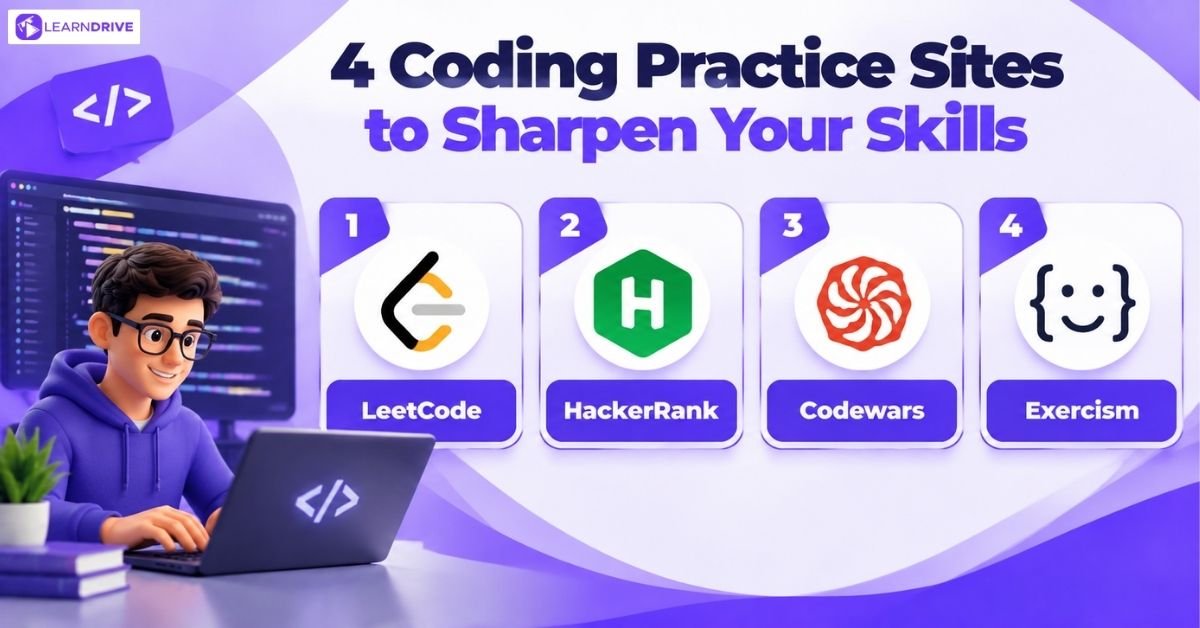
Practice platforms strengthen specific abilities through repeated problems. Use them alongside your curriculum, while keeping time for projects that involve multiple files and requirements.
1. LeetCode
LeetCode Explore provides a route into structured coding practice. Consider it when you want to develop algorithmic problem solving or prepare for technical coding exercises.
Start with problems that match concepts you have already studied. Write a simple solution before worrying about speed or elegance.
After solving a problem, explain its inputs, outputs and limitations. Returning to the same task later can reveal whether you understood the method or memorised it.
2. HackerRank
HackerRank’s JavaScript tutorials organise challenges around language concepts. This can provide a useful practice sequence after introductory lessons.
Read the expected input and output carefully before coding. A solution can look reasonable while still failing a requirement you overlooked.
When a test fails, create a smaller example that exposes the problem. Build this habit early, because understanding requirements matters beyond any challenge platform.
3. Codewars
Codewars uses community-created exercises called kata, with difficulty ranks and opportunities to compare solutions. It suits learners who enjoy short, focused challenges.
Choose tasks that stretch one familiar concept rather than several unfamiliar ones. Compare other approaches after making a serious attempt yourself.
Do not assume the shortest answer is the clearest. Practise choosing meaningful names and readable steps, especially when a solution will need future maintenance.
4. Exercism
Exercism combines language practice with automated analysis and access to human mentoring. It supports browser-based exercises as well as local workflows.
Consider it when you want to improve how you express solutions in a particular language. Passing tests and writing idiomatic code are related but different goals.
Use feedback to revise an existing solution. Explain what changed and why, rather than immediately moving on to another exercise.
Programming Documentation and Reference Sites Worth Bookmarking
Documentation helps you check behaviour, syntax and limitations while working. Develop the habit of using it alongside tutorials rather than waiting until you feel advanced.
MDN Web Docs
MDN Web Docs provides learning material and reference information for web technologies. Use it when you need to understand a browser feature or language behaviour.
Documentation also appears prominently in learning habits. Stack Overflow’s 2025 Developer Survey reports that nearly 68% used technical documentation to learn during the previous year.
That question received 33,454 responses. This measures reported usage, rather than proving that documentation produces better results than other formats.
W3Schools
W3Schools offers short tutorials, examples and editable demonstrations across several technologies. It is useful when you need to refresh a small piece of syntax.
Change an example and observe the result before copying it into a project. Check whether the behaviour still works with different inputs.
For detailed browser behaviour or language rules, consult the relevant technical documentation too. A brief example rarely covers every condition your application might encounter.
9 Structured Coding Courses With Certificates in the UK

A certificate can record completion, but course content and assessment deserve closer attention. Choose a programme that helps you produce evidence of useful skills.
1. Coursera
Coursera is a strong choice for learners who want structured programming courses from universities and recognised technology companies. It offers guided lessons, assignments, projects, and professional certificates that can help learners build job-relevant skills.
The platform is suitable for beginners starting with programming fundamentals, as well as learners moving into areas such as Python, data science, artificial intelligence, web development, and software engineering.
Best for:
University-style learning
Career-focused certificates
Programming foundations
Recommended for:
Ideal for those seeking a highly structured curriculum bolstered by graded assessments and industry-recognized providers.
2. LearnDrive
LearnDrive provides career-focused online training designed to help learners develop practical skills for employment. Its technology courses focus on building knowledge that can be applied in workplace situations.
The platform is suitable for learners who want structured training rather than searching through disconnected tutorials. Courses are designed around practical skills, making them useful for beginners and career changers.
Best for:
Career-focused learning
Practical technology skills
Structured online training
Recommended for:
Designed for ambitious beginners and career-switchers focused on acquiring job-ready skills efficiently.
3. edX
edX provides university-level programming education from institutions and technology organisations. Many courses follow a structured format with video lessons, exercises, projects, and assessments.
It is a good option for learners who want deeper technical knowledge rather than only learning through short tutorials. Courses cover areas such as computer science, programming languages, artificial intelligence, cybersecurity, and software development.
Best for:
Academic-style programming education
Computer science fundamentals
Advanced technical learning
Recommended for:
Tailored for students prioritizing a rigorous, academically-grounded path to mastering technical and programming subjects.
4. Udemy
Udemy offers thousands of programming tutorials covering almost every coding topic, from beginner lessons to advanced developer skills. Learners can choose courses based on their specific goals, such as learning Python, JavaScript, web development, or app creation.
Unlike academic platforms, Udemy focuses heavily on practical skills and project-based learning. Many courses include coding exercises and real-world projects that help learners practise what they learn.
Best for:
Affordable programming courses
Learning specific skills quickly
Project-based tutorials
Recommended for:
A perfect match for self-directed learners and developers requiring on-demand access to specialized, skill-specific modules.
5. LinkedIn Learning
LinkedIn Learning provides professional programming courses designed around workplace skills. Its courses cover programming languages, web development, databases, software tools, and technical workflows.
The platform is useful for professionals who want to add coding skills alongside their existing career. Courses are usually concise, practical, and focused on applying skills in professional environments.
Best for:
Workplace programming skills
Short professional courses
Career development
Recommended for:
Best suited to professionals aiming to sharpen their technical toolkit through concise, career-oriented training rather than lengthy degree paths.

Building a Complete Programming Learning Path
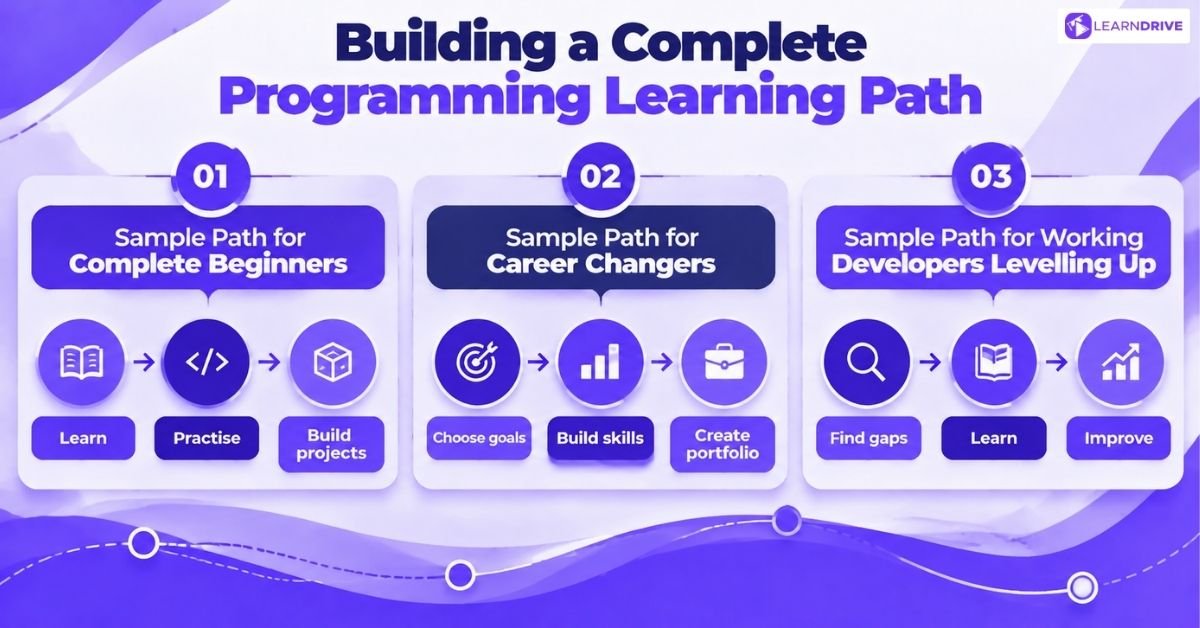
Choose one curriculum, one practice source and one reference. Give each resource a specific role so your study time remains connected to a goal.
Continuing to learn is common among survey respondents. Stack Overflow’s 2025 learning findings report that 69% learned new coding skills or languages during the previous year.
That question received 46,708 answers. The survey methodology explains recruitment through Stack Overflow channels, so these results should not represent every programmer worldwide.
Sample Path for Complete Beginners
Start with a guided curriculum covering basic concepts. Choose Python for a simple automation goal, or HTML, CSS and JavaScript for a website.
After each topic, complete a small exercise without copying the demonstration. Use documentation to investigate errors before seeking a complete solution.
Finish a modest project, such as a personal homepage or expense calculator. Write instructions explaining how to run it and what it currently does.
An example weekly routine could include two lesson sessions, two practice sessions and one project review. Adjust the workload to your available time.
During that review, list what works, what fails and what needs clarification. Choose your next lesson according to those gaps, rather than a new recommendation.
Sample Path for Career Changers
Choose a target role before collecting courses. Review relevant job descriptions and identify recurring requirements, then compare them with your chosen curriculum.
Build projects that reflect those requirements. For web development, include usable interfaces, clear code organisation and sensible handling of errors.
Practise describing your decisions to another person. Add coding challenges where relevant, but reserve time for improving your portfolio and addressing feedback.
Sample Path for Working Developers Levelling Up
Identify a specific gap, such as testing, unfamiliar language features or database design. Select focused materials instead of repeating an entire introductory course.
Apply the concept in a small, controlled project before introducing it into important work. Compare its benefits and limitations with your existing approach.
Seek feedback on your implementation. Record what you would change next time, including assumptions that proved incorrect during development.
10 Common Mistakes UK Learners Make When Learning to Code

Learning to code can feel challenging, especially when progress slows despite spending hours practising. Many beginners make small mistakes that create unnecessary frustration and prevent them from building confidence.
From choosing the wrong learning approach to avoiding errors, these habits can affect how quickly you improve. Understanding these common problems can help you build better coding habits from the start.
1. Starting Without a Clear Learning Goal
Many beginners watch endless tutorials without knowing what they want to create. Set small goals, such as building a simple feature, completing a project, or solving a specific problem.
2. Copying Code Without Understanding It
Copying examples can make progress feel faster, but it may hide gaps in your understanding. Try predicting what the code does before running it and compare your ideas with the result.
3. Switching Programming Languages Too Quickly
Trying multiple languages too early can make learning confusing and slow your progress. Choose one language, practise consistently, and learn enough to build useful projects before moving forward.
4. Ignoring Error Messages
Errors are part of learning, not signs that you are failing. Read each message carefully, check the mentioned line, and test possible solutions one step at a time.
5. Relying Too Much on AI Coding Tools
AI tools can support learning by explaining concepts and suggesting solutions. However, always review generated code, test it properly, and use AI to improve your problem-solving skills.
6. Focusing Only on Certificates and Courses
Completing courses does not always mean you can apply coding skills effectively. Real progress comes from building projects, fixing errors, and explaining the decisions behind your code.
7. Not Tracking Your Learning Progress
Keeping notes about problems you solved can make future learning easier. Record errors, solutions, and important lessons to create your own personal coding reference.
8. Asking for Help Without Enough Details
When requesting help, explain the problem clearly and share what you have already tried. A small example of the issue helps others understand and provide better guidance.
9. Avoiding Old Projects
Returning to previous projects helps you see how much your skills have improved. Update old code, improve features, and apply new concepts to strengthen your understanding.
10. Learning Without Building Real Projects
Watching lessons alone cannot develop strong coding ability. Creating practical projects helps you apply knowledge, develop confidence, and prepare for real-world programming challenges.